AI Ad Creative Testing Matrix for 12 Video Variants
Build a 3 by 4 testing matrix, write cleaner video prompts, and choose ad concepts with a repeatable scorecard before polishing the winners.
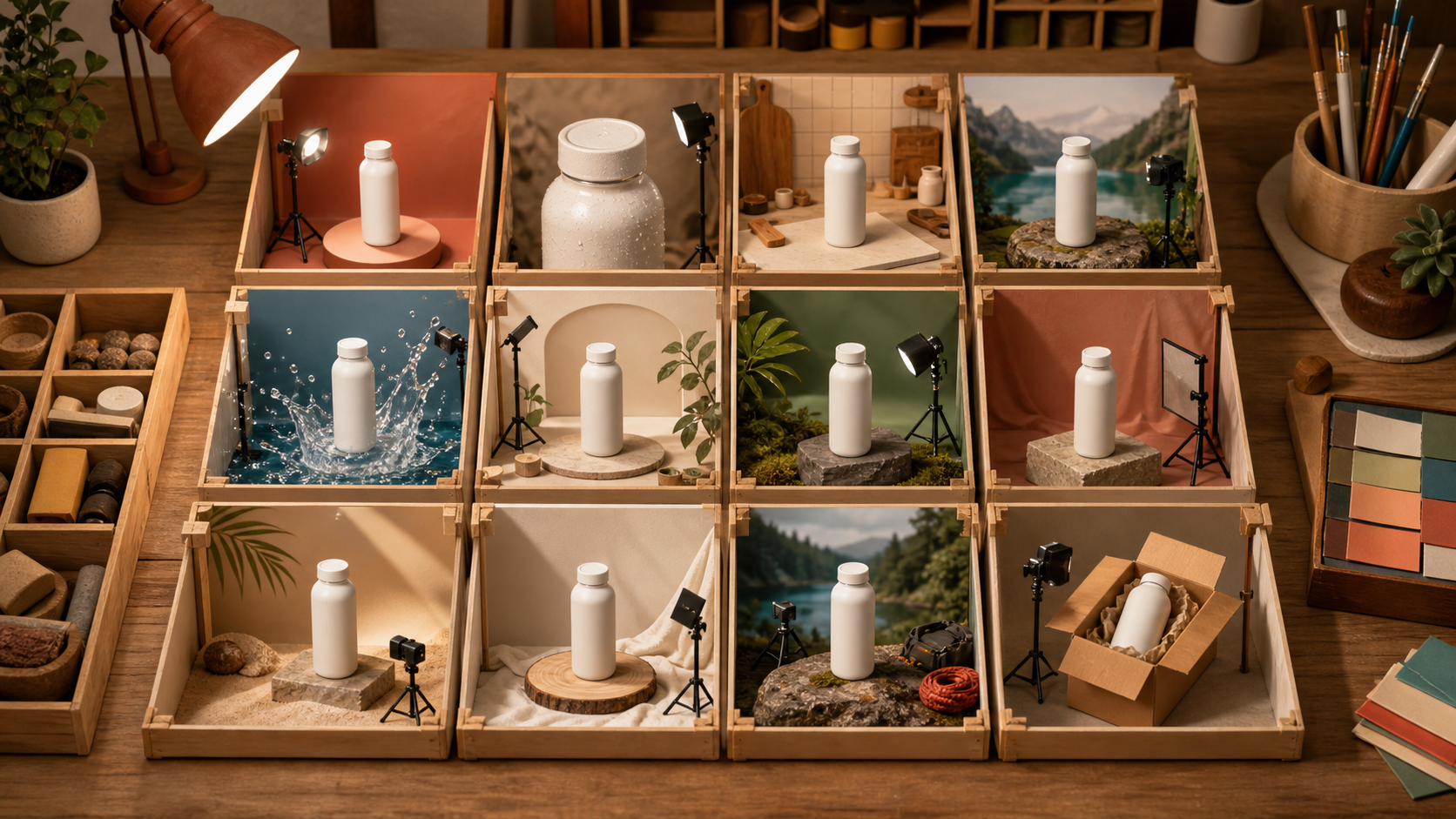
Google's current update, Evolve your marketing with new AI tools, is a useful signal for creators. More campaign work is becoming automated, but the hard question remains human: what should you actually make and test? Generating twelve unrelated clips is easy. Learning from twelve clips is much harder. A creative testing matrix fixes that problem. You hold the product, offer, audience, and format steady, then vary a small set of hooks and visual proofs. The result is a batch of video ideas you can compare instead of a folder full of attractive guesses.
Start with one testable product claim
Do not open a generator yet. Write one sentence that a viewer should believe after watching. Keep it narrow enough to show on camera. Weak claim: This bottle improves your day. Testable claim: This insulated bottle fits in a commuter bag and keeps a cold drink ready through the afternoon. Now collect four facts:
- Audience: commuters who carry a laptop and lunch
- Friction: bulky bottles leak or take too much room
- Proof: slim shape, sealed cap, visible condensation
- Action: inspect the bottle or visit the product page These facts are your control. If you change them in every clip, you will not know whether the hook, scene, or offer caused the difference.
Build a 3 by 4 creative matrix
Use three message hooks as rows and four visual treatments as columns. That gives you twelve concepts without inventing twelve campaigns.
| Hook | Studio demo | Everyday use | Macro proof | Contrast scene |
|---|---|---|---|---|
| Problem | Bottle competing for space on a packed desk | Commuter struggling with an overfilled bag | Close cap before a tipped-bottle test | Bulky bottle beside the slim product |
| Proof | Slow turntable showing the shape | Bottle sliding into a side pocket | Condensation, cap seal, and material detail | Wet bag cut against a dry bag |
| Aspiration | Clean hero shot ready for the day | Calm train commute with one organized bag | Cold droplets catching morning light | Chaotic morning becoming a tidy departure |
| Each cell changes two things only: the message hook and the visual proof. The product claim stays fixed. This is what makes the batch useful. | ||||
| If twelve clips are too many, start with four cells: one complete row plus the most interesting contrast. You can run this inside Quby or another video generator. The method matters more than the model. |
Lock the constants before you write prompts
A fair test needs a short creative contract. Write it at the top of your brief and paste the relevant parts into every prompt.
- One product reference image
- One aspect ratio, such as vertical 9:16
- One duration target, such as 6 to 8 seconds
- One audience and product claim
- One ending action
- No generated text inside the scene Add captions and the final call to action during editing. Asking a video model to render small packaging copy or price text adds a new failure point that tells you nothing about the creative idea. For product consistency, use the same clean reference image in every cell. Choose a view that clearly shows silhouette, cap, color, and material. If a concept cannot preserve the product, reject it even if the camera move looks expensive.
Write prompts like shot instructions
A useful video prompt describes visible action. Use this order: subject + action + setting + camera + timing + constraints Here is a problem-led prompt:
Vertical product ad. A commuter places an overfilled work bag on a small kitchen table and tries to fit a bulky bottle beside a laptop. Cut to the slim white bottle sliding cleanly into the side pocket. Natural morning light, handheld close shot, one clear action, 7 seconds. Keep the bottle shape and blank label identical to the reference. No text, logo, extra fingers, or product transformation.
Here is a proof-led prompt:
Vertical macro product demo of the same white insulated bottle on a dark stone surface. A hand closes the cap, tips the bottle onto its side, and a bead of water stops at the sealed edge. Slow push-in camera, crisp side light, realistic materials, 6 seconds. Preserve the reference silhouette, cap, and color. No text, logo, leaking liquid, or added accessories.
And an aspiration-led prompt:
Vertical lifestyle shot on a quiet morning train. The same slim white bottle sits securely in a compact tote beside a laptop and notebook while soft sunlight moves across the seat. Gentle camera slide, calm natural motion, 7 seconds. Keep the product fully visible and unchanged. No text, logo, crowded carriage, or dramatic camera spin.
Notice that each prompt has one main action. A short clip cannot clearly show packing, commuting, drinking, exercising, and arriving at work. Split that story into shots after you find a winning idea.
Score the rough clips before polishing
The first pass is for signal, not perfection. Generate one draft per cell and score each from 1 to 5 on five criteria:
- Scroll stop: Is the first second visually clear?
- Claim clarity: Can a stranger explain the point after one view?
- Product fidelity: Does the item still match the reference?
- Motion value: Does movement reveal proof or only add decoration?
- Editability: Can you trim, caption, and combine the clip cleanly? A concept scoring below 16 out of 25 should not receive a polish pass. A beautiful clip with a hidden product or vague claim is still a weak ad. Save the score beside each cell, plus one sentence about the failure. That note will improve the next prompt faster than adding more adjectives.
Separate message tests from visual tests
When a batch underperforms, creators often change everything at once. That erases the lesson. Run two simple comparisons instead. For a message test, keep the same studio shot and swap problem, proof, and aspiration hooks in the edit. For a visual test, keep one hook and compare the four scene treatments. This separation gives you a practical diagnosis. If the proof hook wins across several scenes, the message is doing the work. If the macro treatment wins with every hook, the visual proof is carrying attention. In Quby Video Studio, keep those versions as clearly named clips so the control and challenger do not get mixed during editing.
Turn the winner into a three-shot system
Once one or two cells lead the scorecard, expand them into a compact sequence:
- 0 to 1.5 seconds: show the friction or surprising result
- 1.5 to 5.5 seconds: demonstrate the product proof
- 5.5 to 8 seconds: hold a clean product frame for the caption and action Generate these shots separately when consistency matters. A single long prompt often introduces product drift between actions. Separate shots also let you replace a weak opening without rebuilding the proof scene. Keep one version as the control. Change one element in the challenger, such as the opening frame, camera distance, or hook caption. Real response data should decide the next branch of the matrix, not the team's favorite render.
Fix the failures that waste the most time
The product mutates. Reduce the action, strengthen the reference description, and use a more neutral camera move. The scene is busy. Remove props until the claim can be understood from a paused frame. The motion says nothing. Replace orbiting cameras and floating particles with an action that proves fit, seal, texture, speed, or transformation. Every result looks like a beauty shot. Put a verb in the prompt: slides, locks, pours, folds, snaps, or reveals. The batch feels random. Recheck the constants. The same product, claim, duration, ratio, and audience should appear across all twelve cells.
A 45 minute operating rhythm
Use a timer to stop early polishing:
- Minutes 0 to 5: write the claim, audience, friction, and proof
- Minutes 5 to 10: fill the 3 by 4 matrix
- Minutes 10 to 25: generate rough cells
- Minutes 25 to 35: score and reject
- Minutes 35 to 45: expand the best cell into three shots Stop when you have one control, one challenger, and a written reason for the difference. More variants are useful only when they answer a new question. If you want a place to keep the reference, prompt variants, and winning clips together, try the first four cells in Quby Video Studio. The goal is not twelve finished ads. It is one clear lesson that makes the next batch better.
Ready to Create with AI?
Put these techniques into practice with Quby's professional AI creative tools.
Launch Creative Suite