The Visual Search Test for Better AI Product Demo Videos
A product demo frame should explain itself before the viewer hears a word. Use this practical visual search test to plan clearer AI video shots, prompts, and edits.
Google Images is 25 years old, and Google's anniversary update makes one creator lesson hard to ignore: people increasingly search, compare, and understand through images rather than text alone. The update adds a browsable image home and image generation inside AI Overviews, while its history traces a path from keyword search to reverse image search, Lens, multisearch, and scene understanding. For creators, the useful question is not whether a frame looks impressive. It is whether a person, or a visual search system, can tell what the frame is about without hearing the voiceover. That is the visual search test. It is a simple way to improve product demos before spending time on animation, lip sync, sound design, or multiple video generations.
What the visual search test measures
Take any planned shot and hide the script. Look at the frame for two seconds. You should be able to answer four questions:
- What is the main subject?
- What action is happening?
- What changed because of that action?
- Why should the intended viewer care? A coffee grinder pouring fresh grounds into a portafilter passes the first two questions. It may fail the third and fourth. A split setup showing uneven pre-ground coffee on one side and a neat fresh dose on the other gives the shot a visible result. The benefit is understandable before anyone says "better extraction." This test is stricter than an aesthetic review. A beautiful frame can still be vague. A clear frame gives the eye one subject, one action, and one result. Style supports that hierarchy instead of competing with it.
Start with a one-frame promise
Before writing a video prompt, complete this sentence:
In one frame, the viewer sees [subject] doing [action], which produces [visible result]. For a meal-planning app, that might be: In one frame, the viewer sees a phone turning three photographed ingredients into a finished dinner plan with a shopping checklist. For a desk lamp, it might be: In one frame, the viewer sees a compact lamp changing a dark workbench into an evenly lit painting area without glare. If the sentence requires three "and then" clauses, it is not one shot. Split it into separate beats. AI video models often lose product identity or cause-and-effect when a prompt asks for too many events at once. The one-frame promise gives each generation a single job.
Build a three-shot proof sequence
Most short product demos need only three kinds of evidence:
1. The problem shot
Show a recognizable friction point. Keep it specific and visible. Do not prompt "a frustrated creator struggling with content." Prompt the actual problem: mismatched product photos scattered across a desk, inconsistent lighting, and five rejected thumbnails pinned beside a laptop.
2. The action shot
Show the product or workflow doing one legible thing. The hand, tool, and target should be visible in the same composition. If the action happens inside software, use a physical metaphor rather than generating a fake interface full of unreadable controls. A creator can place three raw frames into a tabletop sorting machine that produces one matched sequence.
3. The result shot
Make the improvement measurable by sight. Use alignment, quantity, time, contrast, or before-and-after structure. Replace "professional results" with six product clips that now share the same lighting, camera angle, and color treatment. In Quby, you can generate these as separate shots in Video Studio, judge each still frame, and only then assemble the sequence. That keeps a weak middle shot from hiding behind music and quick cuts.
Use prompts that describe visible evidence
A useful prompt names the subject, action, proof, camera position, and constraints. Here is a weak version:
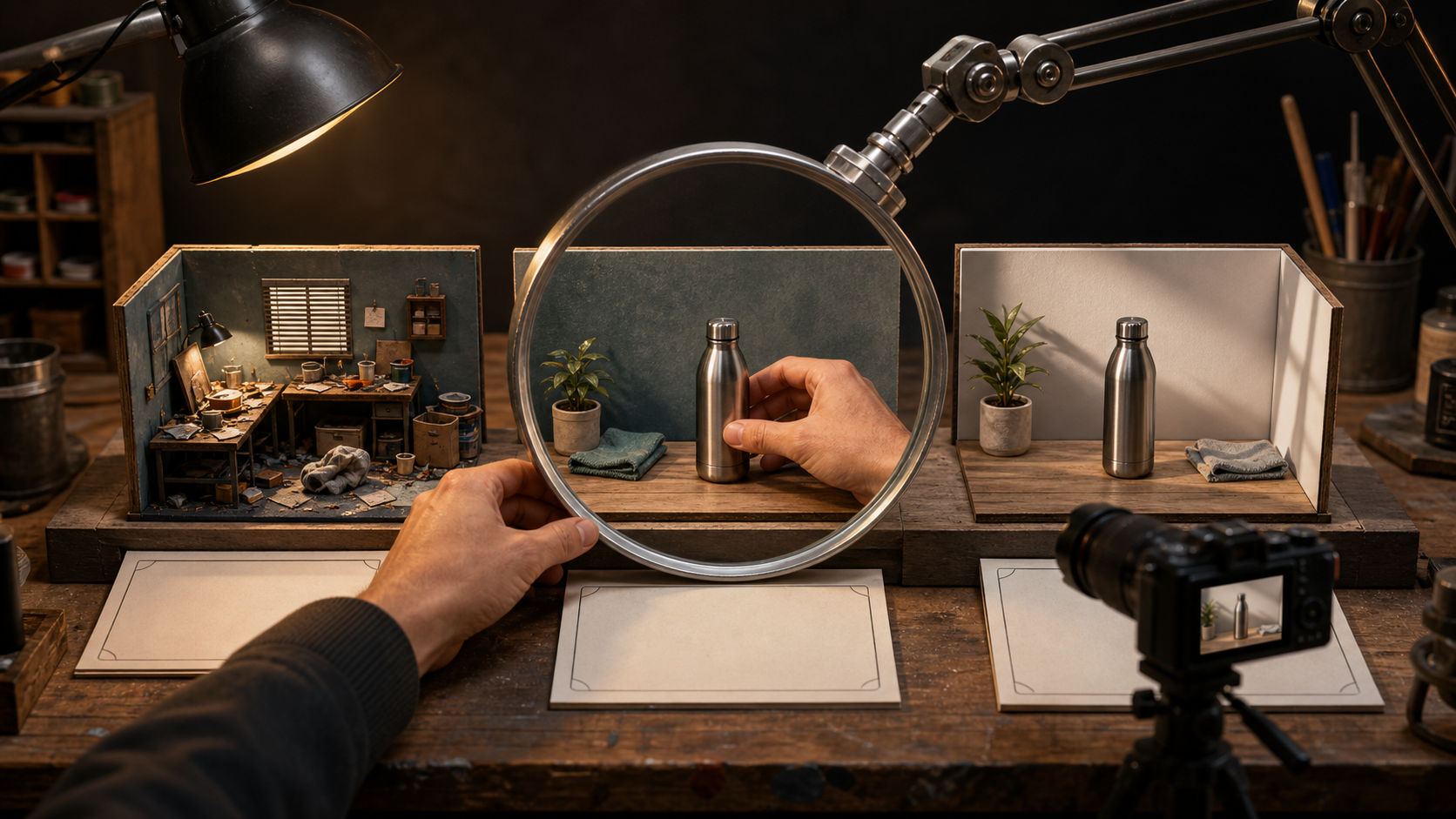
Create a cinematic product demo for a smart water bottle. It offers mood but no evidence. A stronger image prompt is: Editorial product-demo frame on a real gym bench. A matte steel water bottle sits beside a folded towel. A narrow illuminated level ring on the bottle changes from low to full while a hand pours water in. Eye-level close shot, bottle fully visible, clear silhouette, natural morning light, realistic steel and fabric texture. No text, logos, extra bottles, interface overlays, or floating graphics. Then turn the approved frame into a motion prompt: Locked eye-level camera. A hand pours a steady stream of water into the bottle. The level ring rises smoothly from the bottom to the top and stops. The bottle shape, cap, finish, bench, and lighting remain unchanged. Four-second shot. No camera orbit, morphing, extra fingers, spills, labels, or scene changes. The still prompt proves the idea. The motion prompt protects continuity. Trying to solve composition and movement in one pass makes it harder to diagnose what failed.
Choose the right visual metaphor
Use a literal demonstration when the benefit is physical and easy to see. Use a metaphor when the product works through data, automation, or an invisible process. The metaphor still needs a concrete action and outcome. Use these decision criteria:
- Choose literal when the product changes an object, room, face, sound source, or piece of media that can appear on camera.
- Choose a workbench metaphor when several inputs become one output, such as editing, sorting, scheduling, or remixing.
- Choose a side-by-side comparison when the value is quality, speed, consistency, or reduction.
- Choose a sequence of close details when trust depends on materials, fit, texture, or craftsmanship.
- Avoid abstract particles, glowing brains, endless tunnels, and floating screens unless the product genuinely involves them. They communicate category, not benefit.
Run the thumbnail-sized check
Shrink each candidate frame until it is about the size of a search result or phone thumbnail. At that size, inspect five things:
- The subject still has a clean silhouette.
- The product is not hidden by a hand, prop, or effect.
- The action reads from posture and object position.
- The before-and-after difference survives the reduction.
- The background contains no competing focal point. If the idea disappears when small, fix the staging before adding detail. Move the camera closer, remove a prop, increase the visible contrast between states, or separate the subject from the background with light and color. Do not reach first for more sharpness or saturation.
Score frames before generating video
Give every storyboard frame a score from zero to two for each category:
- Subject: zero if unclear, one if visible, two if instantly dominant.
- Action: zero if implied only by narration, one if partly visible, two if unmistakable.
- Result: zero if absent, one if subtle, two if visually obvious.
- Product continuity: zero if generic, one if mostly consistent, two if key shape and materials are protected.
- Thumbnail clarity: zero if unreadable, one if acceptable, two if strong at small size. A frame scoring below eight out of ten needs revision. This threshold is practical because it forces clarity without demanding perfection. When comparing models, keep the prompt and reference pack fixed, then score each output with the same sheet. Pick the model that preserves evidence and identity, not simply the one with the most dramatic lighting.
Turn the test into a repeatable workflow
A compact production loop looks like this:
- Write the one-frame promise.
- Choose literal proof or one concrete metaphor.
- Generate a still for each of the three proof shots.
- Shrink the stills and run the two-second test.
- Score subject, action, result, continuity, and thumbnail clarity.
- Revise only the weakest category in each prompt.
- Animate approved frames with narrow motion instructions.
- Add voiceover and captions after the visual sequence works silently. Quby can keep the still generation, shot creation, and assembly in one creator workflow, but the method works with any image and video tools. If your next demo feels polished yet confusing, try the three-shot proof sequence in Quby Video Studio and judge it once with the sound off. The larger shift behind visual search is simple: an image is no longer decoration around an explanation. It can be the query, the evidence, and the answer. Product-demo creators should plan every important frame with that same burden of clarity.
Ready to Create with AI?
Put these techniques into practice with Quby's professional AI creative tools.
Launch Creative Suite