Unlock Professional Audio: 2026 Free AI Voice Cloning & Text to Speech Guide with Quby
While AI creates stunning visuals, 2026
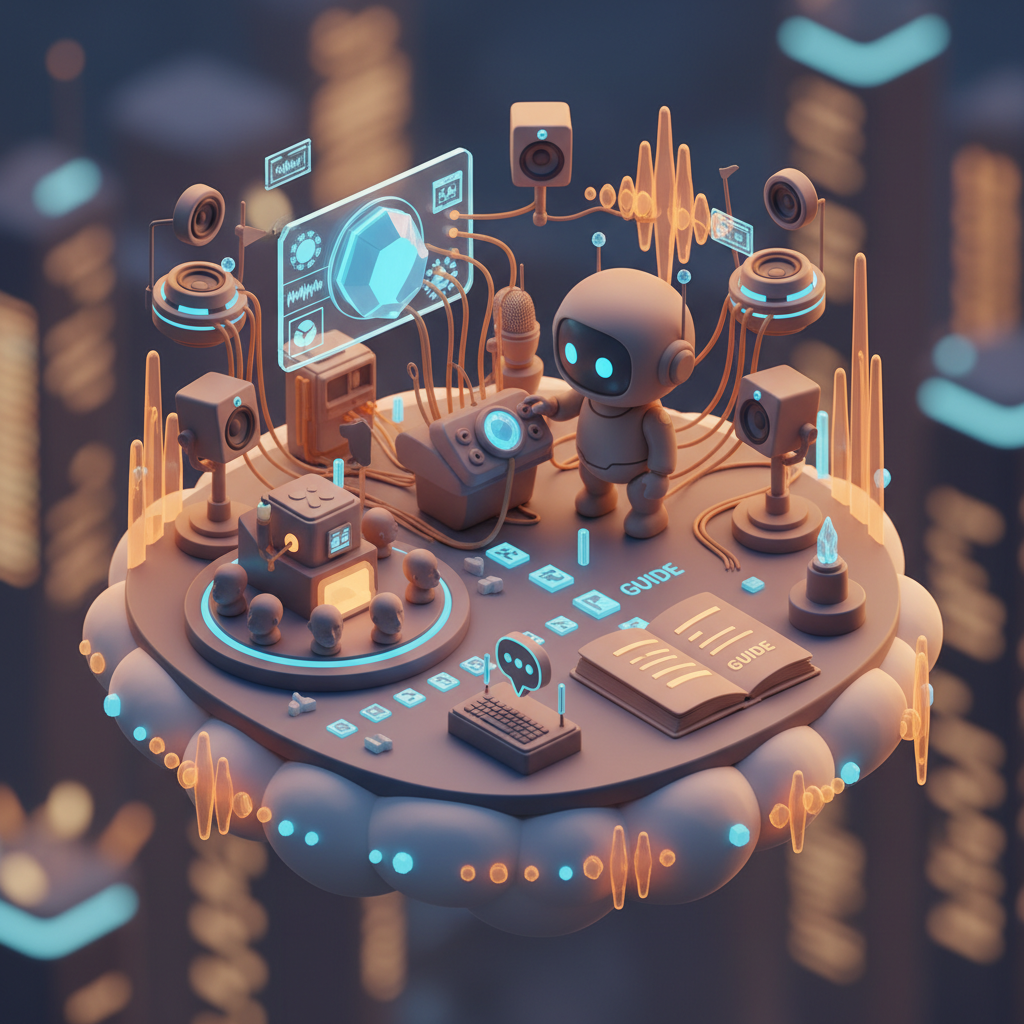
The year 2026, right? We're living through an incredible moment for creators and communicators, aren't we? Just look around. You've got AI helping craft stunning visuals with FLUX 1.1 and Grok Imagine, building immersive 3D worlds with Meshy v4 and Tripo3D v3, and even generating full video narratives with Veo 3.1, Runway 4.5, and Sora 2.0. But amidst all this visual wizardry, something truly special has been happening in the world of sound.
Audio, my friends, is finally getting its star turn. What used to take hours in a professional studio, with expensive equipment and specialized talent, is now accessible to almost anyone with a computer and an internet connection. We're talking about incredibly realistic ai voice cloning and super expressive text to speech ai, tools that have genuinely hit their stride this year. The best part? You don't always need a fat wallet to tap into this power. A lot of the really good stuff, like what you'll find at Quby, is now readily available for free.
Why does this matter so much in 2026? Think about it. Independent podcasters can sound like they have a full cast. Small businesses can create engaging narrations for their online courses or marketing videos without hiring a voice actor. Developers can quickly prototype interactive experiences. And everyone can make their content more accessible, reaching a wider audience than ever before. This isn't just about convenience, it's about leveling the playing field and unleashing a wave of creativity.
This guide is your roadmap to navigating the exciting 2026 ai audio landscape, especially focusing on how you can grab these amazing tools for yourself without spending a dime. We're going to dive deep into ai voice cloning and text to speech ai, showing you exactly how to make them work for you, especially with a fantastic platform called Quby. Ready to unlock professional-grade sound? Let's get to it.
The 2026 Revolution: Why Free AI Voice Cloning & Text to Speech Matters
Remember when AI voices sounded robotic, a bit like a GPS directions lady with a slight cold? Yeah, those days are long gone. It's 2026, and the leap in quality for ai voice generator technology is nothing short of breathtaking. We're talking about voices that capture subtle inflections, emotional nuances, and natural speaking rhythms. They can whisper secrets, boom with authority, or chat casually, all with impressive realism.
So, what's behind this massive jump? A whole lot of sophisticated machine learning models, bigger datasets, and some seriously clever algorithms. Instead of just stitching together phonemes, today's AI understands context, prosody, and even emotional tone. This means your generated audio doesn't just say the words, it conveys them.
For content creators, this is huge. Imagine creating an entire audiobook using a voice that sounds exactly like you, or perhaps a voice you've specifically designed, all without ever stepping into a recording booth after the initial setup. Or how about quickly localizing your video content into multiple languages, each with a natural-sounding voice? The potential for engagement is enormous.
But beyond professional content, there's a powerful personal aspect. For folks with vocal cord issues, or those who simply want to preserve their voice for future generations, ai voice cloning offers an incredible solution. It's about more than just utility, it's about personal expression and preserving identity.
The "free" aspect is the real kicker here. While high-end AI models like ElevenLabs v3 and OpenAI TTS-HD offer unparalleled quality, their advanced features often come with a price tag. But thanks to open-source advancements and platforms like Quby that democratize these tools, getting started with high-quality voice cloning free of charge is now a real possibility. This availability sparks innovation everywhere, from indie game developers needing character voices to educators creating engaging learning materials. It's about giving power to the people, letting everyone experiment and create without financial barriers. And honestly, that's pretty cool.
Getting Started: Your Free 2026 AI Voice Cloning Toolkit with Quby
Alright, you're convinced, right? The power of 2026 AI audio is undeniable. Now, how do you actually get your hands on it without breaking the bank? That's where Quby comes into play, offering a super accessible and powerful ai voice generator experience. Think of Quby not just as a tool, but as your own personal quby audio studio in the cloud. It's designed to make complex AI processes surprisingly simple.
First things first, you'll want to head over to quby.app and get yourself set up. Often, you can just sign in with a Google account or a quick email registration. No complicated software to download, no hefty installation files, just pure browser-based audio magic. This low barrier to entry is one of the best things about modern AI tools.
So, what do you need to actually start cloning a voice or generating speech?
- A computer and internet connection: Obvious, but worth stating. Most modern browsers will work just fine.
- A microphone (if cloning your own voice): This is crucial for ai voice cloning. You don't need a professional studio mic, but a decent USB microphone will give you significantly better results than your laptop's built-in one. Think Blue Yeti or something similar. Clarity is king here.
- Clean audio samples: For cloning, the AI needs good data to learn from. This means recordings that are clear, without background noise, echoes, or music. The better your source audio, the more natural and accurate your cloned voice will be.
- Text to convert: For text to speech ai, you'll just need the words you want the AI to speak. Simple as that.
Preparing your audio for cloning is a critical step. Don't just record yourself rambling for five minutes. Aim for:
- Quiet environment: No barking dogs, humming refrigerators, or noisy street traffic.
- Consistent volume: Try to speak at a steady level, not too soft or too loud.
- Neutral tone: For a general-purpose clone, aim for a fairly neutral, clear speaking voice. You can add emotion later with text-to-speech parameters.
- Sufficient length: Most platforms, including Quby, will ask for a minimum amount of audio, often a minute or two, sometimes more for truly high-fidelity clones. The more data, the better the AI can learn.
Got your mic ready? Have some text in mind? Then you're all set to dive into the practical steps of bringing your audio projects to life.
Step-by-Step with Quby: Master AI Voice Cloning & Text to Speech in 2026
Alright, let's get into the nitty-gritty. This is where you actually become the audio wizard you've always wanted to be, all thanks to Quby and the wonders of 2026 ai audio.
Mastering AI Voice Cloning with Quby
This is the really exciting part, creating a digital twin of a voice!
- Log in to Quby: First, head over to quby.app and log in to your account. You'll likely see a dashboard with various creative tools.
- Navigate to the Voice Studio: Look for an option like "Voice Studio," "Voice Cloning," or "AI Audio Tools." Quby makes its interface intuitive, so you shouldn't have trouble finding it.
- Initiate a New Voice Clone: You'll typically find a button that says something like "Create New Voice" or "Clone a Voice." Click that.
- Upload Your Audio Samples: This is where those clean audio recordings you prepared come in. Quby will prompt you to upload files. It might specify file types (MP3, WAV are common) and minimum lengths. If you're cloning your own voice, upload a few distinct samples. A good practice is to provide a mix of speech, maybe a short paragraph from a book, a few sentences describing your day, and even some simple phrases. This gives the AI a broad understanding of your vocal patterns.
- Pro Tip: If Quby asks for validation, read the specific phrases it provides. This helps the AI lock onto your unique vocal print.
- Name Your Voice & Configure: Give your new voice a memorable name (e.g., "My Podcast Voice," "Narrator Me"). Depending on Quby's features, you might have options to select a cloning model quality or language. For voice cloning free tiers, some advanced options might be limited, but the core functionality will be there.
- Let Quby Do the Magic: Hit "Clone" or "Process." The AI will then get to work analyzing your audio, learning your pitch, timbre, accent, and speaking style. This can take anywhere from a few minutes to an hour, depending on the length of your samples and the current server load. Quby usually provides a progress bar or an email notification when it's done.
- Test Your Cloned Voice: Once processed, you'll be able to select your newly cloned voice from a list of available voices in the quby audio studio. Try typing in a short sentence or two and generate some audio. Listen closely. Does it sound like the original? You might be surprised at how good it is!
Generating Speech with Quby's Text to Speech AI
Now that you have a voice (either your clone or one of Quby's excellent pre-built options), it's time to make it speak!
- Access Text to Speech: In the Quby Voice Studio, you'll find a dedicated text to speech ai interface.
- Choose Your Voice: Select the voice you want to use from the dropdown menu. This is where you pick your shiny new clone, or perhaps one of Quby's diverse default voices, which are often excellent on their own.
- Input Your Text: Type or paste the text you want the voice to read into the text box. This is where your script goes, whether it's a social media caption, a podcast intro, or dialogue for a video.
- Adjust Parameters (if available): Quby, like many advanced ai voice generator tools in 2026, often provides options to fine-tune the output. Look for sliders or toggles for:
- Speech Rate: Faster or slower.
- Pitch: Higher or lower.
- Emphasis/Pauses: Sometimes you can use special markers (like
...for a short pause, or even SSML tags if Quby supports them) to guide the AI. - Emotion: Some models allow you to suggest a mood, like "happy," "sad," or "neutral."
- Generate Audio: Click the "Generate" or "Synthesize" button. Quby's AI will convert your text into spoken audio in mere seconds.
- Review and Download: Listen to the generated audio. If you're happy, download it as an MP3 or WAV file. If not, tweak the text, adjust parameters, and generate again until it's perfect.
Tips for Best Results in the Quby Audio Studio:
- Punctuation Matters: The AI uses punctuation to understand pauses and inflections. Use commas, periods, question marks, and exclamation points correctly.
- Break Up Long Sentences: Sometimes, shorter, well-structured sentences yield more natural-sounding speech.
- Spell Out Acronyms/Numbers: "NASA" sounds better than "N.A.S.A." And "2026" should be "twenty twenty-six" if you want it spoken that way, otherwise, the AI might just say "two thousand twenty-six."
- Listen Critically: Don't just settle for the first output. A slight adjustment to a word or a tiny pause can make a huge difference in how natural the audio sounds.
And that's it! With these steps, you'll be creating professional-grade 2026 ai audio in no time, all thanks to the user-friendly power of Quby.
Beyond Quby: A Look at 2026's Top AI Voice Generators (ElevenLabs v3, Bark 2.0, OpenAI TTS-HD)
While Quby is an excellent starting point, especially for voice cloning free options and general-purpose text to speech ai, it's worth knowing about the other big players in the 2026 ai audio arena. These platforms often push the boundaries of what's possible, though they typically operate on a freemium or subscription model for their advanced features. Think of them as the bleeding edge of ai voice generator technology.
ElevenLabs v3
ElevenLabs has really made a name for itself, and its v3 iteration is nothing short of incredible. What makes it stand out?
- Expressiveness: ElevenLabs v3 excels at capturing subtle human emotions and inflections. It can convey excitement, seriousness, wonder, and more, all with impressive fidelity. It's fantastic for long-form content like audiobooks or character voiceovers.
- Multi-language Support: Its language capabilities are expansive, allowing for high-quality generation in numerous languages, often with accent and dialect control.
- Voice Design: Beyond cloning, you can often "design" new voices from scratch by adjusting parameters like age, gender, and accent.
If you need a voice with real emotional depth and extensive language options, and you're ready to invest a bit, ElevenLabs v3 is a top contender.
Bark 2.0
Bark, particularly its 2.0 version, comes from the open-source community but holds its own against commercial offerings, especially in specific areas.
- Non-Speech Sounds: This is where Bark truly shines. It can generate not just speech, but also non-speech vocalizations like laughter, crying, sighs, and even singing. It's a powerhouse for creating incredibly natural, immersive audio scenes.
- Emotional Range: Bark can produce highly varied emotional tones, sometimes almost uncannily so.
- Open-Source Roots: While there are managed versions, its open-source nature means a vibrant community and ongoing innovation.
For experimental audio, rich soundscapes, or applications where you need more than just plain speech, Bark 2.0 is a fascinating tool to explore.
OpenAI TTS-HD
OpenAI, the folks behind GPT-5 DALL-E and Sora 2.0, also have a formidable entry in the ai voice generator space with their TTS-HD model.
- Unrivaled Naturalness: OpenAI's TTS-HD focuses on generating speech that is virtually indistinguishable from a human voice. The clarity, articulation, and fluidity are second to none.
- High Fidelity: It produces extremely clean, high-definition audio, making it ideal for professional broadcast or high-stakes content where audio quality is absolutely critical.
- Integration Potential: Given OpenAI's ecosystem, expect to see this model integrated deeply into other AI applications, potentially generating voiceovers directly from video scripts created by Sora 2.0 or other video AI.
OpenAI TTS-HD is the go-to if your absolute priority is pristine, utterly natural-sounding speech for the most demanding applications.
Each of these platforms, Quby included, offers something unique. Quby is fantastic for getting started, for voice cloning free and accessible text to speech ai without a steep learning curve or high costs. When you need more specialized features, extreme emotional depth, or ultra-high fidelity, exploring the capabilities of ElevenLabs v3, Bark 2.0, or OpenAI TTS-HD might be your next step. The key is knowing what your project needs and choosing the right tool for the job.
Elevating Your Audio: 2026 Pro Tips & The Future of AI Voices
You've got the basics down with Quby, and you know about the other big players. Now, how do you take your 2026 ai audio projects from "good" to "wow"? And what's on the horizon for this rapidly evolving field?
2026 Pro Tips for AI-Generated Audio
- Post-Processing is Your Friend: Even the best AI-generated audio can benefit from a little polish. Use a digital audio workstation (DAW) like Audacity (free!) or Adobe Audition.
- EQ (Equalization): Gently sculpt the sound. A slight cut in the muddy mid-range or a tiny boost in the highs can make voices clearer and more present.
- Compression: This helps even out the volume, making the quiet parts louder and the loud parts softer, resulting in a more consistent and professional sound. Don't overdo it, though, or it can sound squashed.
- Noise Reduction: If your source audio for cloning had a tiny bit of room noise, some DAWs can help clean that up in the final output.
- Subtle Reverb: A very light touch of reverb can make a voice feel like it's in a real space, not just floating in a vacuum.
- Mix with Human Elements: For ultimate realism, sometimes combining AI-generated speech with actual human recordings is the secret sauce. Maybe you record the main narration, and the AI handles the brief character voices or background announcements. This blend can create incredibly authentic audio experiences.
- Think About Pacing and Delivery: While AI handles the speaking, you still control the script. Write your text as if a human is going to speak it. Short sentences, varied sentence structure, and clear punctuation make a huge difference. Don't be afraid to experiment with adding ellipses (
...) for natural pauses or dashes for sudden changes in thought. - Ethical Considerations are Real: With ai voice cloning becoming so advanced, the ethical questions grow more important. Always be mindful of consent if cloning someone else's voice. Consider the potential for misuse, like deepfakes. As creators, we have a responsibility to use these powerful tools wisely and transparently. Let your audience know when AI is involved, especially if it's not immediately obvious.
- Integrate with Other AI Creatives: This is 2026, after all! Are you making a video with Sora 2.0 or Runway 4.5? Use text to speech ai to generate the perfect voiceover. Creating an interactive experience with FLUX 1.1 images? Generate dynamic audio responses with your cloned voice. The possibilities are truly exciting when these AI models start working together.
The Future of AI Voices: What's Next?
The 2026 ai audio landscape is already mind-blowing, but what's coming next will likely make today's tech feel quaint.
- Real-time Cloning and Emotion Transfer: Imagine speaking into a mic and having your voice instantly transformed into another person's voice, complete with your current emotions, in real-time. This opens up massive doors for live performance, accessibility, and communication.
- Deep Emotional Intelligence: AI voices will likely gain an even deeper understanding of human emotion, being able to naturally convey complex feelings and subtle shifts in mood without explicit prompting. We're talking AI that truly understands pathos.
- Hyper-Personalization: Expect personalized AI voices for everything. Your smart home assistant could speak in the voice of a loved one. Your car's navigation might sound like your favorite celebrity.
- True Multimodality: Voice AI will merge even more tightly with other AI domains. Imagine describing a scene, and the AI instantly generates a video (Veo 3.1!), complete with appropriate visuals, sound effects, and a voiceover that perfectly matches the mood you described.
We're just at the beginning of this journey, and it's a thrilling one. The tools are getting better, more accessible, and more integrated. Whether you're using a voice cloning free solution like Quby to kick off your first podcast, or exploring the advanced capabilities of ElevenLabs v3 for a major production, the power of AI to transform audio is here to stay.
So, what are you waiting for? The world of professional-grade audio is now at your fingertips. Head over to Quby, start experimenting with ai voice cloning and text to speech ai, and bring your wildest audio ideas to life. The only limit is your imagination.
Ready to Create with AI?
Put these techniques into practice with Quby's professional AI creative tools.
Launch Creative Suite