Text to Video AI Mastery: Crafting Engaging Content with Quby's Video Studio in 2026
In 2026, text-
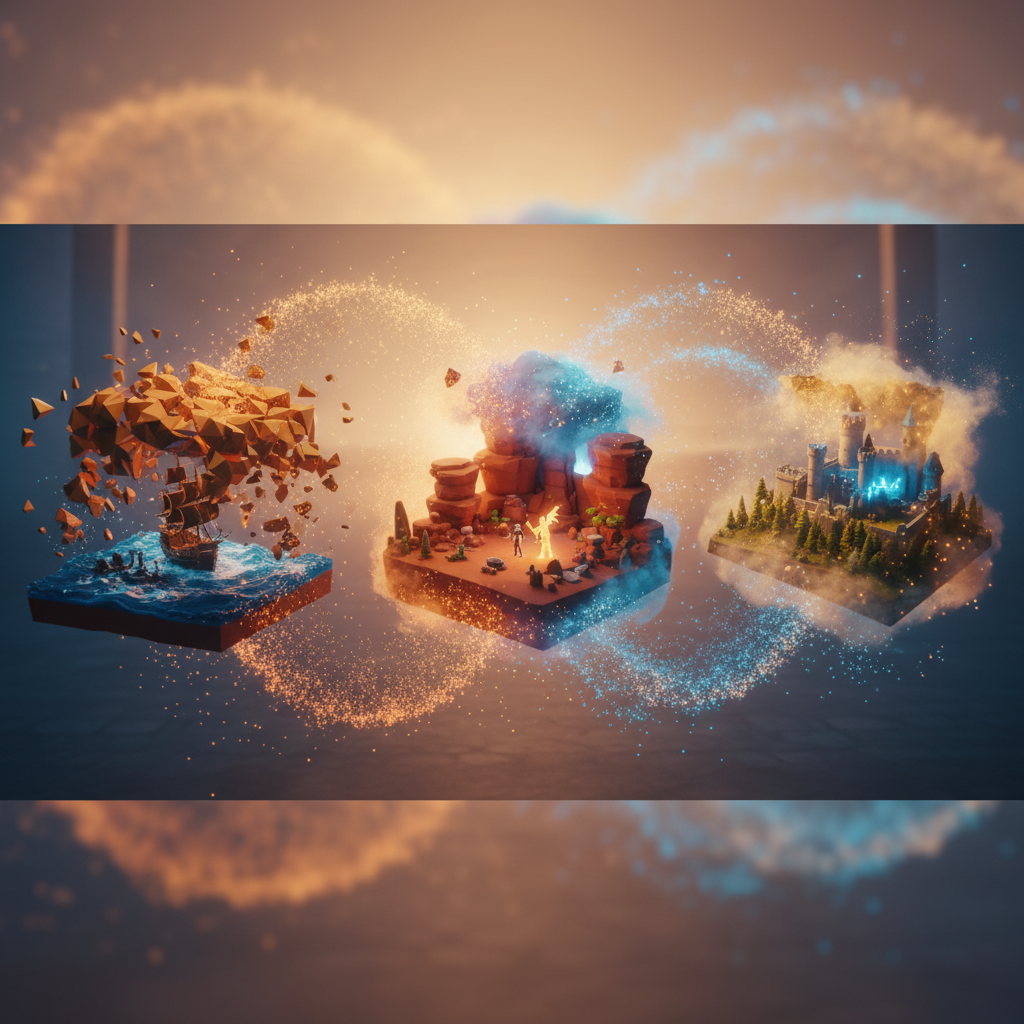
The Rise of Text-to-Video AI in 2026: Why It Matters More Than Ever
Remember those days, not so long ago, when making a video felt like scaling Mount Everest? You needed a script, actors, cameras, lighting, editing software that cost a fortune, and probably a small army of dedicated professionals. Well, it's 2026, and those days are largely behind us, especially with tools like Quby changing the game. We're living in a world where text to video AI has moved from a cool novelty to an indispensable tool for creators, marketers, educators, and pretty much anyone with a story to tell.
So, why does this matter so much right now? Think about it. The demand for engaging video content is absolutely relentless. Every platform, from TikTok to YouTube, LinkedIn to your personal blog, thrives on visuals. But the resources, both time and money, required for traditional video production often put it out of reach for many. This is where the magic of an ai video generator steps in. It democratizes creation, making high-quality video production accessible to everyone, regardless of budget or technical skill.
In 2026, AI isn't just stitching together static images with a voiceover. No, we're talking about sophisticated AI models that can interpret nuanced text prompts and render dynamic, visually rich, and emotionally resonant video sequences. It understands context, anticipates visual storytelling needs, and even suggests creative angles you might not have considered. This isn't just about speed, though it's incredibly fast. It's about empowering you to bring complex ideas to life with an ease that was unimaginable even a few years ago.
From crafting snappy social media ads that convert, to producing in-depth educational tutorials, or even just sharing personal narratives with a professional touch, create videos with AI capabilities are now central to modern communication. Businesses, big and small, are seeing increased engagement and better ROI by integrating AI-generated videos into their marketing funnels. Educators are making complex subjects digestible and exciting. Solo creators are expanding their reach without needing a production team. The bottom line is, if you're not exploring text-to-video AI in 2026, you're likely falling behind. It's not just a trend; it's how we create now.
From Script to Screen: Your First AI Video with Quby's Video Studio
Alright, you're ready to jump in. The good news? Getting started with Quby's Video Studio is surprisingly straightforward. Forget complicated timelines and endless menus. The beauty of a well-designed ai video maker free like Quby is its intuitive approach. Let's walk through creating your very first AI-powered video, from a simple idea to a watchable clip.
It all begins with an idea, just like any creative project. Maybe you want to explain a new product feature, tell a short story, or summarize a blog post. Jot down your core message. For our example, let's say we want to create a short, upbeat video explaining the benefits of morning meditation.
Step 1: The Core Idea and Script A simple script helps immensely, even for a short video. Don't worry about perfect grammar or elaborate descriptions at this stage, just the key points you want to convey.
- Scene 1: Person waking up, looking tired. Text: "Tired of feeling groggy every morning?"
- Scene 2: Calm person sitting in a quiet, sunny room. Text: "Discover the peace of morning meditation."
- Scene 3: Benefits listed on screen (reduced stress, improved focus). Text: "Boost your day, calm your mind."
- Scene 4: Person smiling, looking refreshed. Text: "Start your journey to a better you."
Step 2: Entering Quby's Video Studio Head over to Quby and find the video creation section. You'll likely see an input field for your script or prompt. This is where you'll feed the AI your instructions.
For our first video, let's try a simple, direct prompt. Remember, we're easing into this.
"Video about morning meditation benefits. Start with someone tired, transition to someone calmly meditating in a peaceful, sunny room. Show text overlays: 'Tired of feeling groggy every morning?', 'Discover the peace of morning meditation.', 'Boost your day, calm your mind.', 'Start your journey to a better you.' End with a refreshed, smiling person."
Notice how I've blended both visual descriptions and the exact text I want to appear on screen. This helps the ai video generator understand both the scene and the message.
Step 3: Initial Settings and Generation Before hitting "generate," Quby might ask you about a few preferences:
- Aspect Ratio: 16:9 for YouTube, 9:16 for vertical social media, 1:1 for square posts. For this, let's pick 16:9.
- Style/Mood: Options like "corporate," "upbeat," "cinematic," "cartoon." "Upbeat" sounds right for meditation benefits.
- Voiceover: You might get an option to choose an AI voice. For now, let's stick to text overlays, but we'll get to voices later.
Once you confirm your choices, hit generate! The AI will then take a few moments, or perhaps a minute or two depending on the complexity and length, to process your prompt and stitch together the video. It's truly fascinating to watch it come to life.
Step 4: Review and Refine Once the initial video is ready, play it back. What do you think?
- Are the visuals matching your vision?
- Is the pacing right?
- Are the text overlays clear and well-timed?
Don't be afraid to go back and tweak your prompt. Maybe you want the "tired person" scene to be shorter, or the meditation scene to feature more sunlight. This iterative process is key to getting exactly what you want. You might adjust your prompt to:
"Short, upbeat video about morning meditation. Scene 1: Quick shot of a person looking groggy, alarm clock ringing. Text overlay: 'Tired of feeling groggy every morning?' Scene 2: Transition to a calm person meditating by a window with bright, natural light. Hold this scene longer. Text overlay: 'Discover the peace of morning meditation.' Scene 3: Animated text listing benefits: 'Reduced Stress', 'Improved Focus', 'Better Mood'. Scene 4: Person smiling, sipping tea, looking serene. Text overlay: 'Start your journey to a better you.' Upbeat background music."
That's a more detailed prompt, and it will likely produce a much closer result to what you're imagining. See how simple that can be? With Quby, you're not just creating videos; you're orchestrating them with words.
Mastering Advanced Prompts for Stunning AI Video Generation
You've made your first video. Great! Now, let's crank it up a notch. The real power of an ai video generator like Quby isn't just in making a video, it's in making a stunning video. And that, my friend, comes down to mastering the art of the prompt. Think of your prompt as the director's script, camera angles, and mood board all rolled into one. The more precise and descriptive you are, the more incredible your output will be.
Here's how to move beyond basic instructions and truly sculpt your visual narrative:
1. Be Specific, Not Just General Instead of "a forest," try "a dense, ancient forest at dawn, shafts of golden light piercing through mist, tall Redwood trees." Instead of "person talking," try "a charismatic young woman, mid-twenties, animatedly explaining complex quantum physics on a white board, gesturing excitedly, wearing a casual hoodie."
2. Incorporate Mood and Atmosphere Use adjectives that evoke feeling.
- "A melancholic scene of an old man gazing out a rain-streaked window."
- "An exhilarating montage of extreme sports, fast cuts, vibrant colors, intense rock music vibe."
- "A serene, almost ethereal shot of cherry blossoms falling in slow motion over a tranquil pond."
3. Direct the Camera Yes, you can tell the AI where the camera should be and how it should move.
- Angles: "low-angle shot," "dramatic high-angle view," "eye-level perspective."
- Movement: "slow dolly zoom," "sweeping crane shot," "steady handheld camera following," "fast pan to the left."
- Focus: "shallow depth of field, focus on the foreground character," "wide shot capturing the entire cityscape."
Example:
- Basic: "A detective walks into a dark alley."
- Advanced: "A grizzled detective, trench coat flapping, walks with determined stride into a narrow, rain-slicked alleyway at night. A high-angle, slightly shaky camera follows him from behind, revealing ominous shadows and flickering neon signs in the distance. Low-key lighting, noir aesthetic."
4. Describe Characters and Actions with Detail Who is in the video? What are they doing? How do they feel?
- "A weary scientist, hunched over a glowing holographic display, frantically typing code."
- "A mischievous fox, peeking cautiously from behind a snow-covered pine tree, then darting playfully across the frame."
- "A joyful child, spinning in a field of wildflowers, arms outstretched, sunlight glinting off their hair."
5. Suggest Transitions and Pacing While Quby's text to video AI will often intelligently handle transitions, you can guide it.
- "Scene 1: bustling marketplace. Transition via a quick whip pan to Scene 2: a serene tea garden."
- "Start with slow-motion, then speed up for a montage, ending with a freeze frame."
6. Leverage Keywords for Style and Genre Think of popular film styles or artistic movements.
- "Cinematic," "documentary style," "stop-motion animation," "pixel art," "watercolor painting come to life," "cyberpunk aesthetic," "vintage film grain."
Advanced Prompt Example (for a fictional product launch):
"Dynamic promotional video for a new 'Aura Smartwatch'.
Scene 1: Close-up, macro shot of the smartwatch, sleek and glowing faintly, against a dark, futuristic background. Text overlay: 'Introducing Aura.'
Scene 2: High-energy montage of diverse individuals (athlete running, student studying, business professional in a meeting) seamlessly interacting with the smartwatch. Use quick cuts, vibrant colors. Show heart rate monitor, notification alerts, fitness tracking icons.
Scene 3: Elegant, slow dolly shot revealing the smartwatch user enjoying a moment of calm, looking refreshed. Soft, diffused lighting. Text overlay: 'Designed for your well-being.'
Scene 4: Animated infographic demonstrating key features: battery life, water resistance, customizable faces.
Scene 5: Final heroic shot of the smartwatch on a wrist, looking powerful. Call to action text: 'Pre-order Now at quby.app/aura.'
Overall tone: futuristic, inspiring, empowering. Upbeat, modern electronic music."
See the difference? This level of detail gives the ai video maker free a much clearer picture of your vision, leading to far more impressive results. Experiment, play around, and don't be afraid to break down complex ideas into smaller, more manageable descriptions. That's how you truly master the craft of using an ai video generator.
Beyond Basic Narration: Adding Depth with AI Voiceovers and Visual Customization
So, you're generating great videos. Fantastic! But a truly engaging video often needs more than just compelling visuals. It needs sound, a voice, and a touch of your unique brand. This is where Quby helps you add layers of sophistication, moving beyond basic narration to create something truly memorable.
1. The Power of AI Voiceovers Sure, you can record your own voice, but what if you don't have a studio, or you need multiple voices, or a voice in a different language? That's where AI voiceovers shine.
- Text-to-Speech (TTS): Quby will likely offer a range of synthetic voices. Don't just pick the first one. Listen to a few. Do they sound natural? Do they match the mood of your video? For our meditation video, a calm, soothing voice would be ideal. For a product launch, perhaps something more energetic and confident.
- Emotional Nuances: Modern AI voices are getting incredibly good at conveying emotion. You might be able to specify a tone, like "joyful," "serious," "informative," or "empathetic." Experiment with these settings to see how they change the impact of your message.
- Voice Cloning (Advanced): Some AI tools, including potentially Quby in 2026, can even clone your own voice from a short audio sample. Imagine creating videos with your authentic voice without ever stepping near a microphone for each new script! This is a massive time-saver for consistent branding.
When writing your voiceover script, keep it concise and conversational. Read it aloud to yourself first. If it sounds clunky, the AI voice won't make it better. Break up long paragraphs into shorter sentences for better pacing.
2. Music and Sound Effects: The Unsung Heroes Visuals grab attention, but sound holds it.
- Background Music: This is crucial for setting the tone. Quby should offer a library of royalty-free tracks.
- Emotional Match: For our meditation video, a soft, ambient track is perfect. For a fast-paced tutorial, upbeat electronic music might work.
- Pacing: Match the music's tempo to your video's pace. A slow, evolving piece for contemplative scenes, a high-energy track for dynamic montages.
- Volume: Make sure the music doesn't overpower the voiceover or important on-screen text. Often, music should be gently faded in and out, and kept at a lower volume under dialogue.
- Sound Effects (SFX): These add realism and punch. A subtle 'whoosh' for a text transition, the gentle chirping of birds for a nature scene, or the satisfying 'click' of a button press in a software demo. Don't overdo it; a few well-placed sound effects are far more effective than a cacophony.
3. Visual Customization: Making it Yours Even after the initial ai video generator output, you'll want to personalize and polish your creation.
- Adding Overlays and Text: Quby's Video Studio won't just generate text from your prompt; it'll let you add custom titles, lower thirds (those name and title banners at the bottom of the screen), and calls to action. Choose fonts and colors that align with your brand. Think about readability against different backgrounds.
- Image and Logo Integration: Want your company logo prominently displayed? You should be able to upload your own assets - images, graphics, and logos - and place them strategically within your video. This is essential for branding and recognition.
- Editing Generated Clips: No AI is perfect on the first try. You might get a 30-second clip, but you only need 10 seconds of it. Quby should allow basic editing: trimming clips, re-arranging their order, and perhaps even splitting longer scenes. This lets you fine-tune the pacing and flow.
- Color Grading and Filters: Just like photos, videos benefit from a consistent look. Apply filters or adjust color grading to give your video a specific mood or to match your brand's visual identity. A warm filter for a cozy travelogue, a cool, desaturated look for a dramatic piece.
By combining powerful text to video AI with thoughtful sound design and visual customization, you're not just creating videos, you're crafting experiences. You're giving your content a voice, a personality, and a professional sheen that truly resonates with your audience. This is how you create videos with AI that stand out in 2026.
Your 2026 AI Video Strategy: Maximizing Impact with Quby
You've got the skills to generate incredible videos. Now, let's talk strategy. In 2026, simply making videos isn't enough; you need a plan to make them count. With a powerful ai video maker free like Quby in your toolkit, you can implement strategies that maximize your impact and reach.
1. Content Planning: Batch Creation and Repurposing One of the biggest advantages of an ai video generator is speed.
- Batch Create: Instead of making one video at a time, plan your content weeks or even months in advance. Draft a series of scripts around a central theme, then generate all the core video segments in one go using Quby's Video Studio. This saves immense time and keeps your content calendar full.
- Repurpose with Purpose: Don't let your content live in just one place.
- Take a longer explainer video and chop it into several short, punchy clips for social media.
- Extract key statistics or quotes and turn them into animated text videos.
- Convert a blog post into an engaging video summary. And vice versa. The AI can even help you create different aspect ratios for different platforms from the same core content, making your efforts incredibly efficient.
2. Tailoring Content to Platforms and Audiences Not all videos work everywhere. Your ai video generator can help you adapt.
- TikTok/Reels: Think short, dynamic, visually captivating. Use trending sounds. Quby can quickly render vertical 9:16 videos.
- YouTube: Longer-form content thrives here. Tutorials, vlogs, deeper dives. Focus on high-quality voiceovers and clear explanations.
- LinkedIn: Professional, informative, thought leadership. Testimonials, industry insights, product demos.
- Website/Blog: Embed videos to break up text, explain complex ideas, or provide a dynamic introduction.
Understand your audience on each platform. What do they expect? What kind of content resonates most with them? Then, use Quby to produce tailored content without the heavy lifting.
3. Measuring Success and Iterating The digital world is all about data.
- Analytics: Pay attention to video views, watch time, engagement rates, click-through rates, and conversion metrics. Most platforms offer solid analytics.
- A/B Testing: With how quickly you can create videos with AI, you can easily A/B test different versions. Try two different intros, two different calls to action, or two slightly varied visual styles. See which performs better, then refine your strategy.
- Feedback Loops: Listen to comments and direct feedback. Are people confused? Do they want more detail? Use this to inform your next round of video creation.
4. Ethical Considerations and Transparency As AI becomes more sophisticated, so do our responsibilities.
- Transparency: When using AI-generated content, especially voices or realistic visuals, it's good practice to be transparent with your audience. A simple disclaimer like "This video was created with AI assistance" builds trust.
- Bias: Be mindful of potential biases in AI generation. If your prompts are too narrow or rely on stereotypes, the AI might perpetuate them. Broaden your descriptions, ensuring diverse representation in your output.
- Deepfakes: While Quby is focused on creative content, the broader AI landscape includes deepfake technology. Understand the ethical boundaries and ensure your use of AI remains positive and authentic.
5. Future-Proofing Your Approach AI technology isn't standing still.
- Stay Updated: Keep an eye on new features and capabilities within Quby and the broader text to video AI space. What's latest today might be standard next year.
- Experiment Constantly: The best way to master any new tool is to play with it. Try out new prompt techniques, explore different styles, and push the boundaries of what you think the AI can do.
In 2026, your quby video studio isn't just a tool; it's a strategic partner. By integrating it intelligently into your content workflow, you'll not only save countless hours and resources but also elevate your content to new heights, captivating audiences and achieving your communication goals like never before. It's time to create, innovate, and lead with AI.
Ready to transform your ideas into captivating video? Head over to quby.app and explore the future of video creation today.
Ready to Create with AI?
Put these techniques into practice with Quby's professional AI creative tools.
Launch Creative Suite