Seedream 5 Prompt Boards for Consistent AI Image Sets
Seedream 5.0 is a useful prompt trend for creators who need image sets that feel planned, not random. This guide shows how to build prompt boards for product shots, thumbnails, characters, and video prep.
Seedream 5 Prompt Boards for Consistent AI Image Sets
The current Seedream 5.0 trend is not only about a new image model. For working creators, the useful lesson is that image generation is moving from single lucky prompts toward planned sets. A product launch needs a hero image, detail crops, social thumbnails, and maybe a few frames that can become video references. A character project needs the same face, outfit, color world, and camera language across many images. One good prompt is not enough. A prompt board is the fix. It is a small planning document that tells the model what stays constant, what changes, and how each output will be used. In Quby, this matters because a still image often becomes the start point for a video, a product demo, a thumbnail, or an edit pass. The better your image set is planned, the less time you spend repairing mismatched results later.
Start With The Set, Not The Image
Before you write any visual prompt, name the set you need. A set has a job, a number of frames, and a rule for consistency. Good set goals sound like this:
- Five product images for a landing page launch
- Four thumbnail concepts for one YouTube video
- Six character frames for a short story test
- Three clean reference images for an image to video prompt
- Eight ad variations with the same product and different environments Weak goals sound like this:
- Make a cool image
- Make it more cinematic
- Give me many options
- Try something viral Those weak goals can produce attractive images, but they do not help you finish a campaign. A set goal keeps the prompt practical.
Build A Three Part Prompt Board
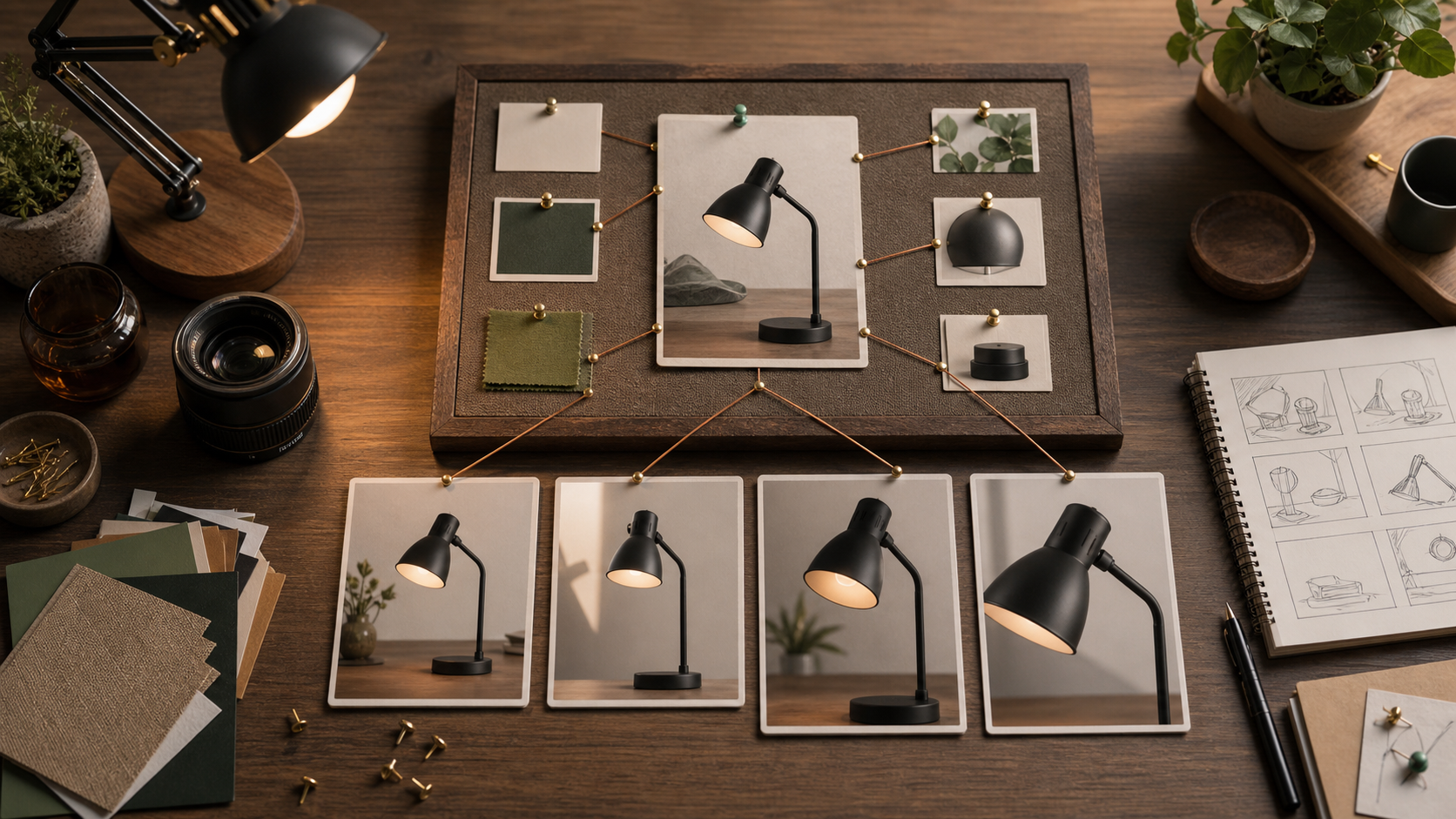
Use a prompt board with three sections: constants, variables, and output roles. Constants are the details that must not drift. They can include product shape, character identity, clothing, materials, color palette, lighting direction, lens feel, or framing style. Variables are the controlled changes. They can include background, pose, camera distance, prop arrangement, time of day, crop, or mood. Output roles explain why each image exists. A hero image has different needs than a thumbnail. A product detail crop has different needs than a video reference frame. Here is a simple board:
Set goal: four images for a new desk lamp launch.
Constants: matte black lamp, slim curved neck, circular base, amber bulb glow, warm wood desk, late afternoon light.
Variables: camera distance, hand interaction, desk props, background depth.
Roles: hero image, detail crop, social thumbnail, image to video reference.
This board is small enough to write in two minutes, but it gives every prompt a job.
Decide What Must Stay Fixed
Most failed image sets fail because the creator does not choose the fixed element. If everything is allowed to change, the set turns into random mood boards. Use this decision check:
- If the product must sell, lock the product shape first.
- If the face or mascot matters, lock identity first.
- If the set supports a brand campaign, lock palette and lighting first.
- If the set will feed video generation, lock the subject and end frame first.
- If the set is for testing ads, lock the offer and vary only the environment. Do not lock everything. A useful set needs controlled variety. The point is to decide which details are sacred and which details can move.
Product Prompt Board Example
Use this when you need a consistent image pack for a product page or social launch.
Prompt board: desk lamp launch images.
Constant product: matte black desk lamp with a slim curved neck, circular base, small switch on the base, warm amber bulb glow.
Constant style: editorial product photography, real desk texture, soft side light from a window, natural shadows.
Do not change: lamp shape, switch location, black finish, amber glow.
Image 1 role: hero image for landing page.
Prompt: wide editorial product photo of the matte black desk lamp on a warm wood desk, clean negative space, amber light on, soft window light, calm premium workspace.
Image 2 role: detail crop.
Prompt: close product photo of the lamp switch and circular base, hand just outside the frame, real wood grain, amber light reflection, shallow depth of field.
Image 3 role: social thumbnail.
Prompt: square crop of the lamp glowing beside an open notebook and keyboard, stronger contrast, clear product silhouette, no text overlay.
Image 4 role: video reference.
Prompt: stable front angle of the lamp centered on the desk, final frame ready for image to video, clean background, product fully visible.
The prompts are related, but not identical. Each one changes only what the role requires.
Character Prompt Board Example
Character sets need stricter identity rules. If you skip those rules, the outfit, face, and proportions will drift between images.
Prompt board: creator mascot images.
Constant character: young creator with short black hair, round glasses, green overshirt, white tee, compact camera strap, curious expression.
Constant world: small studio desk, plants, camera gear, daylight, soft editorial illustration style.
Do not change: hair length, glasses, green overshirt, camera strap, age, body type.
Frame 1: character sitting at the desk reviewing images on a tablet.
Frame 2: character holding a product toward the camera for a demo.
Frame 3: character adjusting a small light on the desk.
Frame 4: character looking at a storyboard wall with image thumbnails.
When you generate, keep the constant block almost identical across all frames. Change only the frame line. This gives the model repeated identity anchors.
Thumbnail Prompt Board Example
Thumbnails need faster readability than product shots. The viewer should understand the subject in one glance.
Set goal: three thumbnail options for a tutorial about making product demo images.
Constants: same desk lamp, amber glow, black finish, warm desk.
Variable: composition and attention point.
Option 1: close lamp hero with dramatic glow and simple clean background.
Option 2: split attention between lamp and creator hand turning the switch.
Option 3: top down desk layout with lamp, notebook, and camera gear arranged clearly.
Rules: no text, no logos, high contrast, obvious subject, clean crop for 16:9 and square reuse.
Do not ask for a thumbnail to do too much. If a thumbnail needs text later, add it in your editor instead of forcing the image model to render it.
Use A Two Pass Workflow
Pass 1 is the consistency pass. Generate the set with minimal movement and simple backgrounds. Judge whether the product, character, or palette holds across images. Pass 2 is the production pass. Add stronger camera choices, props, crops, or lighting once the core identity is stable. This order saves time. If the product shape is wrong in pass 1, a dramatic pass 2 will not fix it. It will only hide the problem. In Quby, a practical workflow is to create the board first, generate the stills, pick the strongest reference image, then move the chosen frame into Video Studio when you are ready for motion. The still image should already look like a clean start frame or end frame before you ask for animation.
Score The Set Before You Edit
Review the images with a simple scorecard:
- Identity: does the product or character stay recognizable?
- Role fit: does each image serve its assigned use?
- Crop safety: can the image work in the intended aspect ratio?
- Motion readiness: could the image become a video reference frame?
- Brand fit: does the palette feel consistent across the set?
- Repair cost: how much manual editing would this need? If two images fail identity, strengthen the constant block. If every image looks too similar, add clearer variables. If the set looks pretty but has no use, rewrite the output roles.
A Reusable Prompt Board Template
Copy this structure whenever you need a consistent set:
Set goal: [number] images for [use case].
Primary subject: [product, character, place, or object].
Constants: [details that must stay fixed].
Variables: [details allowed to change].
Output roles: [hero, detail, thumbnail, reference, ad, cover, storyboard].
Do not change: [identity, proportions, palette, materials, logo placement if relevant].
Quality check: [what must be true before this set is approved].
Near the end of your next image workflow, try building the board before generating. Quby can help you move from prompt planning to still creation to video prep without losing the intent of the set. Seedream 5.0 is a good reminder that better images often come from better direction. Treat your prompt as a production brief, not a wish. Lock the parts that matter, vary the parts that create options, and judge every output by the job it has to do.
Ready to Create with AI?
Put these techniques into practice with Quby's professional AI creative tools.
Launch Creative Suite