From Script to Screen: Crafting Compelling Video Narratives with 2026 AI Generators (Quby Studio Guide)
In 2026, AI is your full
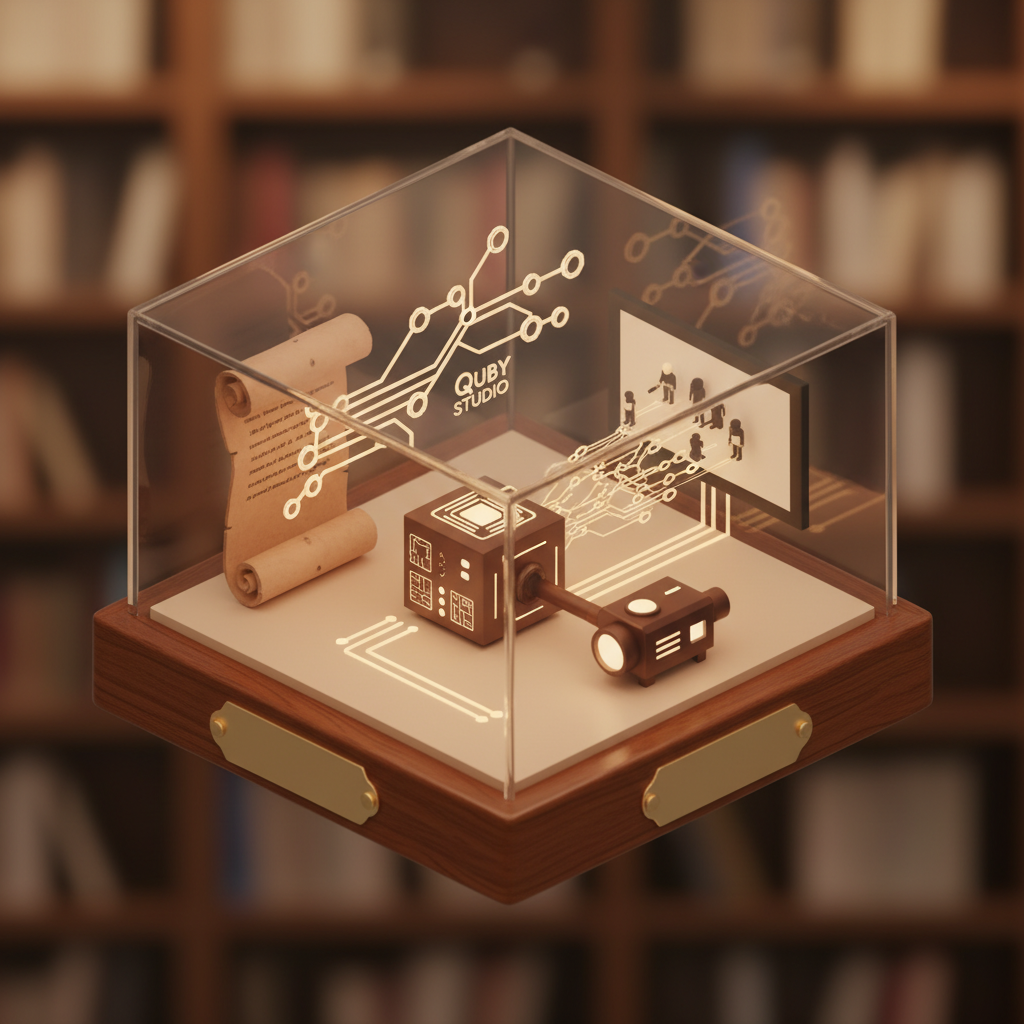
Introduction: The Dawn of AI Storytelling in 2026
Remember a few years back, when creating a polished video meant juggling a camera, actors, lighting, and a whole post-production team? What a difference a few years make, right? Here in 2026, the landscape of content creation has completely transformed, thanks to the incredible leaps in artificial intelligence. We're not just talking about minor edits or fancy filters anymore. We're talking about AI as a full-fledged creative partner, ready to help you bring your wildest ideas to life, from the first spark of a concept all the way to the final cut.
AI isn't here to replace human creativity, not at all. Instead, it's an amplifier, a force multiplier for anyone with a story to tell. Whether you're a seasoned filmmaker, a budding digital artist, or a small business owner looking to produce engaging marketing content, the power to create videos with AI is now more accessible and sophisticated than ever. The barriers to entry have crumbled. No longer do you need huge budgets or specialized equipment to craft compelling visual narratives.
This guide will walk you through the entire process, showing you how to harness the latest capabilities of AI and Quby, your go-to AI creative suite, to turn your script into a stunning screen reality. We'll explore how modern AI video generators, advanced text-to-video AI tools, and smart editing features are making professional-grade storytelling a reality for everyone. Get ready to dive into the future of storytelling.
Step 1: Developing Your Narrative - From Concept to Script with AI
Every great video starts with a great story. Before a single frame can be generated, you need a compelling narrative. And guess what? AI can be an incredible ally even at this very early stage. Forget writer's block. Consider AI your brainstorming buddy, your plot consultant, and your dialogue wizard all rolled into one.
Let's say you have a vague idea, maybe "a detective story set on a moon colony." Where do you even begin? This is where today's advanced large language models and creative AI shine. Think about using tools like GPT-5 DALL-E or Gemini 2.5, not just for image generation, but for their text capabilities. You can feed them your raw concept and ask for:
- Plot Outlines: "Generate three distinct plot possibilities for a moon colony detective story, each with a unique twist."
- Character Archetypes: "Describe a grizzled space detective. What are their quirks? Their motivations?"
- Dialogue Suggestions: "Write a tense conversation between the detective and a suspect, hinting at betrayal."
- World-Building Details: "What kind of technology exists on a moon colony in 2077? What are the social structures?"
The AI will spit out ideas faster than you can type them. Now, it's important to remember this isn't about letting the AI write your entire story for you. It's about sparking your imagination, providing options, and giving you a solid foundation. You're still the director, the mastermind. You'll sift through the suggestions, pick the elements that resonate, and refine them with your unique creative vision.
For example, I recently wanted to create a short explainer video about renewable energy sources. I started by asking GPT-5 to brainstorm five engaging analogies for solar power. It gave me everything from "a leaf soaking up the sun" to "a perpetual motion machine for your home." I picked the one that felt most accessible and ran with it, saving myself hours of staring at a blank page.
Once your concept solidifies, you'll move to scriptwriting. Again, AI can assist. With a clear outline, you can prompt your chosen AI to draft scenes, suggest transitions, and even help structure your script into acts. If you're building a video that relies heavily on a voiceover, using text to video AI planning at this stage helps ensure your narrative flows well vocally. You can feed it specific prompts like, "Write a five-minute script for an animated short about a robot trying to learn to paint, focusing on themes of perseverance and artistic expression." The AI will provide a draft, and you can then edit, tweak, and inject your personal voice.
This early scripting phase is crucial. A well-written script, even an AI-assisted one, ensures clarity, consistency, and emotional resonance throughout your video. It's your blueprint, and with AI as your assistant, that blueprint is easier to construct than ever before.
Step 2: Visualizing Your Story - Generating Scenes with Quby's 2026 Video Studio
Alright, you've got your killer script. Now comes the exciting part: making it move. This is where Quby truly shines as an AI video generator, putting the power of the most advanced video models right at your fingertips. We're talking about turning those descriptive words into dynamic, compelling visuals without needing a film crew or even a single camera.
Imagine you've written a scene: "A lone astronaut gazes out a viewport, watching a distant, swirling nebula." In Quby's Studio, you'll take that description, or even just a few keywords, and feed it into the text to video AI interface. Quby then taps into a sophisticated array of 2026 AI video models, each with its unique strengths.
- Veo 3.1 (Google): Often praised for its photorealistic output and nuanced understanding of complex prompts, Veo 3.1 is fantastic for generating scenes that need to look incredibly lifelike, from intricate character movements to detailed environmental shots. Want that nebula to truly shimmer? Veo's got your back.
- Runway 4.5: If you're leaning towards a more stylized, cinematic, or even abstract aesthetic, Runway 4.5 offers incredible control over artistic direction. It's great for specific moods, dynamic camera movements, and creating a signature visual style. Think dramatic lighting or surreal landscapes.
- Kling 3: For those needing longer, more coherent sequences, Kling 3 excels. It's known for maintaining visual consistency across extended clips, which is a massive advantage when building narratives that span multiple shots. You won't see your astronaut's helmet suddenly change design mid-gaze.
- Minimax Video-02: This model is a powerhouse for rapid prototyping and exploring different visual interpretations of a scene. It's super efficient, letting you quickly generate several variations to find the perfect shot composition or animation style.
- Sora 2.0: Known for its ability to generate highly detailed and imaginative scenes from simple text prompts, Sora 2.0 can bring complex concepts to life with surprising fidelity and creativity. If your script involves fantastical elements or intricate choreography, Sora is a fantastic choice.
Within Quby, you're not just picking a model and hitting "generate." You're guiding the process. You can refine your prompts, specify camera angles (wide shot, close-up, Dutch angle), lighting conditions (dawn, neon, volumetric fog), and even character emotions. Do you want the astronaut's gaze to be wistful? Hopeful? Solemn? Quby's interface allows you to add these layers of detail, letting you create videos with AI that truly reflect your vision.
Let's say your scene also requires a specific object, perhaps a worn, antique compass on the astronaut's dashboard. For intricate static elements or to maintain extreme visual consistency for certain props, you might even generate high-fidelity images using tools like FLUX 1.1, Grok Imagine, or Ideogram 3.0 directly within Quby. You can then integrate these into your generated video scenes, either as overlays or by using them as reference images for the video AI. For more complex elements, like a unique alien plant or a specialized spaceship component, you could even generate 3D models using Meshy v4 or Rodin Gen-2, then import them into your scenes for unparalleled detail. It's all about blending the best AI tools into one cohesive workflow.
This step is where your story truly takes visual form. It's an iterative process, of course. You'll generate a scene, review it, tweak your prompt, regenerate, and refine until you have exactly the visual you envisioned. And the beauty of Quby is that it makes this sophisticated process feel intuitive, almost like playing a video game. It's a powerful ai video maker free from many of the traditional hassles. Well, it's not free, but it offers a level of creative liberation that feels priceless.
Step 3: Bringing it to Life - Advanced Voice and Sound Integration
A video without sound is only half a story. The right audio elements, from crisp dialogue to evocative music and immersive sound effects, transform a collection of generated visuals into a living, breathing narrative. In 2026, AI has become incredibly adept at handling every aspect of your audio needs, making this stage of production astonishingly powerful and accessible.
Let's start with voiceovers and character dialogue. Gone are the days of needing expensive recording studios or professional voice actors for every project. Today, AI voice generators are virtually indistinguishable from human speech, offering an incredible range of voices, emotions, and linguistic nuances. Within Quby, you can easily integrate leading voice AI models like:
- ElevenLabs v3: Renowned for its hyper-realistic voice synthesis and impressive emotional range. You can pick from a vast library of pre-trained voices, or even clone a voice from a short audio sample. This is perfect for consistent character voices or a distinct narrator.
- Bark 2.0: Offers a great balance of naturalness and stylistic control, allowing for specific intonations, accents, and even sound effects like laughter or sighs to be generated within the speech. It adds a wonderful layer of authenticity.
- OpenAI TTS-HD: This model provides incredibly clear, high-definition speech that's ideal for professional-sounding narration or crisp dialogue. It's excellent for ensuring every word of your ai storytelling is perfectly articulated.
Imagine you're creating a documentary about ancient civilizations. You need a calm, authoritative narrator's voice. You simply type in your script, choose a voice that fits the tone, and generate. Or perhaps your sci-fi short has a sassy AI companion. You can generate its dialogue with a specific synthesized voice, complete with a hint of playful sarcasm. The control you have over pitch, speed, and emotional delivery is quite remarkable. You'll be able to create videos with AI that truly captivate.
But sound isn't just about voices. It's also about ambiance, sound effects, and music. Modern AI tools can generate custom sound effects based on your descriptions. Need the faint hum of a spaceship engine? A distant alien bird call? Or the subtle rustle of futuristic fabric? Just type it in. Quby's studio can often integrate these directly, aligning them perfectly with your visual scenes.
For music, AI composers can generate original scores tailored to the mood and pacing of your video. You can prompt for "an uplifting, orchestral track for a discovery scene" or "a tense, synth-heavy background for a chase sequence." The AI will compose unique pieces that are royalty-free and perfectly suited to your narrative. This is a huge leap forward, allowing you to create a cohesive soundscape without worrying about licensing or composition skills.
Bringing all these audio elements together within Quby is intuitive. You'll have a timeline where you can layer voice tracks, sound effects, and music, adjusting volumes, adding fades, and syncing everything to your visuals. The goal is to create an immersive auditory experience that enhances your visual storytelling and evokes the exact emotions you want your audience to feel. It truly transforms the experience.
Step 4: Polishing Your Narrative - Editing and Refining in Quby
You've generated your scenes, integrated your voices and sounds. Now, it's time for the final touches, the art of editing. Even with all the generative power of AI, the refining stage is where your true artistry as a storyteller shines through. And yet, even here, Quby's AI editing features act as a powerful co-pilot, making the process smoother, faster, and more intuitive than ever. This is how you really create videos with AI that stand out.
Think about traditional video editing: hours spent painstakingly trimming clips, adjusting colors, and finessing transitions. Quby, as an advanced ai video maker free from many of those manual burdens, changes the game.
First, AI-assisted scene sequencing and pacing. Quby can analyze your generated clips and your script, then suggest optimal cuts and transitions. It might identify natural breakpoints for dramatic effect, or recommend speeding up certain sequences to maintain audience engagement. If your script calls for a quick montage, Quby can automatically assemble a first pass, saving you immense time. You'll still have the final say, of course, dragging and dropping clips, fine-tuning timings, and adding your unique rhythm. But having AI provide a smart starting point is an absolute game-changer.
Next, visual enhancements. Color grading, for instance, can elevate the mood of your entire video. Quby offers AI-powered color correction and grading tools. You can describe the look you want, "a warm, nostalgic feel," or "a gritty, noir aesthetic," and the AI will apply a consistent grade across your scenes. It can also suggest improvements for lighting or contrast, ensuring a professional, cohesive look throughout your video, even if the source generations came from different AI models.
Then there's the magic of AI-driven special effects and visual enhancements. Need a subtle lens flare to evoke a dream sequence? Or perhaps a motion graphic title card? Quby can generate these elements on demand, often integrating them directly into your timeline. For instance, you could prompt, "Add a cinematic opening title card with a metallic sheen, featuring the words 'The Last Echo' in a futuristic font," and Quby will render it for you. This kind of flexibility lets you experiment with visual flair without needing to learn complex VFX software.
But here's a crucial point: AI is a powerful tool, but it's not a substitute for human creative judgment. The best results come from a collaborative dance between you and the AI. You'll review AI-suggested edits, make your own manual tweaks, and iterate. Maybe you want a jump cut where the AI suggested a dissolve. Perhaps you feel a scene needs to linger a little longer, or a particular shot should be cropped differently to emphasize an expression. Your creative instincts are still crucial.
Consider the output. Once you're happy with the edit, Quby can render your final video in various resolutions and formats, ready for sharing on any platform. And because you've used advanced text to video AI throughout, your final product will be polished and professional, reflecting a level of production quality that was once out of reach for independent creators. This process truly makes ai storytelling accessible to everyone.
Conclusion: Unleash Your Inner Storyteller with Quby and 2026 AI
We've journeyed from the initial spark of an idea to a fully rendered video, all powered by the incredible capabilities of 2026 AI. The days of traditional, resource-intensive video production are fading into memory, replaced by a dynamic, intuitive workflow that puts professional-grade tools into the hands of anyone with a story to tell.
AI isn't just a helper; it's a creative partner that empowers you at every stage. It helps you brainstorm, drafts your scripts, generates stunning visuals with models like Veo 3.1 and Sora 2.0, crafts immersive soundscapes with ElevenLabs v3, and even assists with the nuanced art of editing. Quby brings all these advanced functionalities together in a single, user-friendly studio, democratizing the entire process of video creation. It truly makes it easier to create videos with AI than ever before.
This isn't about AI replacing human talent. It's about AI augmenting it, freeing you from the mundane and allowing you to focus on what you do best: imagining, conceptualizing, and imbuing your creations with your unique perspective. The potential for ai storytelling is limitless, whether you're crafting a personal narrative, a captivating marketing piece, or the next viral sensation.
So, what story have you been waiting to tell? What worlds have you wanted to build? What messages have you been eager to share? With Quby and the power of 2026 AI, there's nothing stopping you.
Ready to transform your ideas into stunning visual realities? Start crafting your next masterpiece today. Visit Quby and explore the future of AI video generation.
Ready to Create with AI?
Put these techniques into practice with Quby's professional AI creative tools.
Launch Creative Suite