Mastering Free AI Image Generation & Editing in 2026: Your Ultimate Quby Guide
Free AI image tools in 20
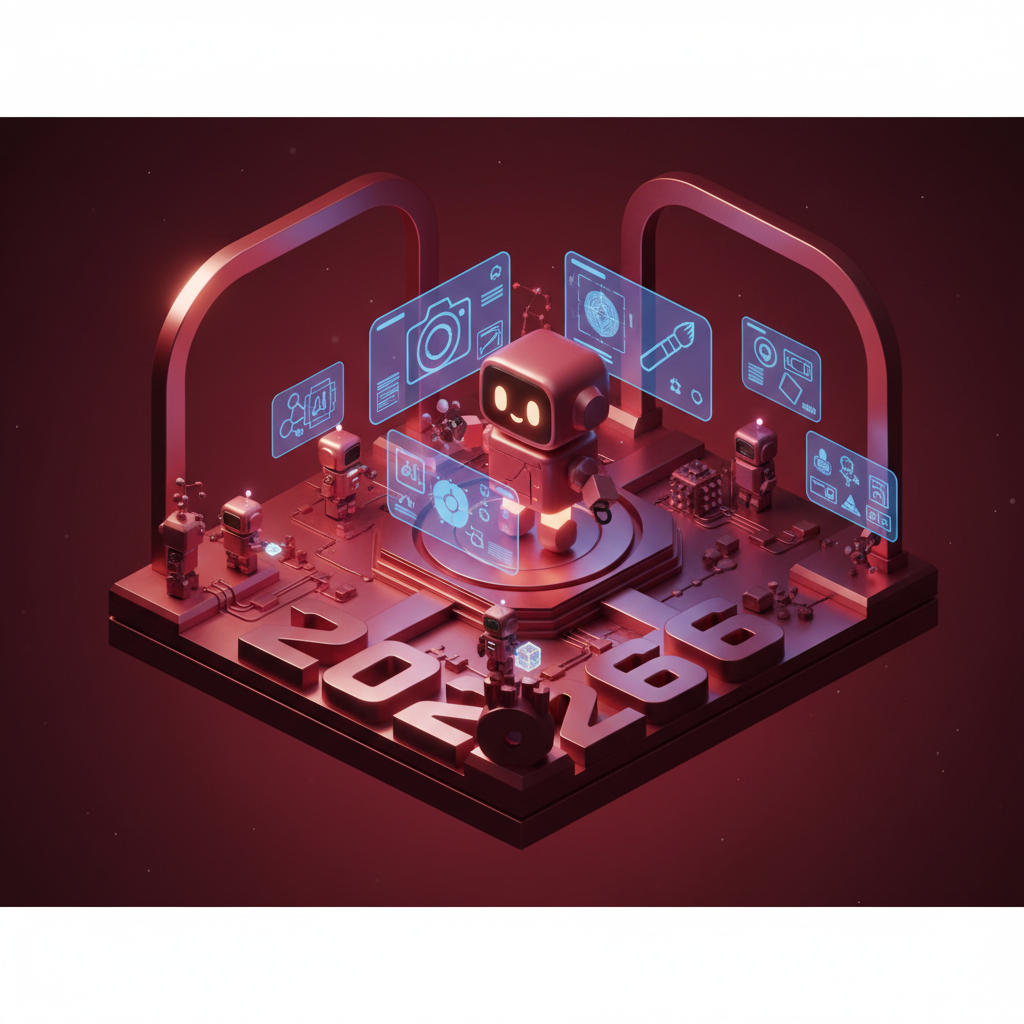
The Rise of Free AI Image Tools in 2026: Unleashing Creativity
Remember when AI art felt like a niche, expensive club? Back in, say, 2024, it often required hefty subscriptions or deep technical know-how to make anything truly impressive. Fast forward to March 2026, and things couldn't be more different. We're living in a golden age for digital artists, marketers, educators, and anyone with a spark of an idea, all thanks to the incredible evolution of free AI image tools. The barriers to entry? They've practically vanished.
What's changed so dramatically in just a couple of years? A lot, frankly. We've seen an explosion in model sophistication, making the outputs from today's ai image generator free options virtually indistinguishable from professional-grade creations. The underlying algorithms, like those powering FLUX 1.1 or Grok Imagine, have become adept at understanding complex prompts, translating abstract concepts into vivid visuals with astounding accuracy and artistic flair. And it's not just about realism. These models now excel at diverse styles, from hyper-realistic photography to stylized illustrations, abstract art, and even 3D-esque renders.
The biggest shift, though, is accessibility. Companies are realizing that the best way to develop and refine these powerful tools is to put them in the hands of millions. That means solid free tiers, generous daily credits, and user interfaces that are so intuitive, even your tech-averse aunt could whip up a masterpiece. This widespread availability has democratized creativity in a way we've only dreamed of. Think about it: you don't need expensive software, years of training, or a high-end graphics tablet to bring your wildest visions to life. All you need is an internet connection, a bit of imagination, and the right prompt.
This year, 2026, is truly special. The competition among AI developers has pushed the quality of ai art generator tools through the roof, even for their free versions. We're seeing unprecedented levels of control, consistency, and creative potential. Whether you're a small business owner needing unique social media graphics, a writer seeking cover art for your next indie novel, or just someone who loves to play around with digital creation, the tools available today are more powerful, more user-friendly, and more free than ever before. It's an exciting time to be creating, and we're just getting started.
Top Free AI Image Generators of 2026: A Feature Rundown
Ready to dive into the specifics? The market for ai image generator free tools is bustling with innovation in 2026, offering incredible quality without asking for a dime. While some generators might offer more features in their paid plans, their free tiers are often surprisingly capable. Let's look at some of the standouts that are making waves this year and why they might be the best ai image generator 2026 for your needs.
First up, there's FLUX 1.1. This model has gained serious traction for its speed and impressive photorealism. If you're looking to generate images that look like they were captured by a high-end camera, FLUX 1.1 should be at the top of your list. Its ability to handle intricate lighting and textures is remarkable, and the free tier often provides enough daily generations for casual and even semi-regular users. People love it for product mockups and realistic character designs.
Then we have Grok Imagine. Powered by X's growing AI ecosystem, Grok Imagine often feels like it reads your mind. It's particularly strong with abstract concepts and generating images with a distinct, often vibrant, artistic style. If your project calls for something a bit more avant-garde or visually striking in a painterly way, Grok Imagine delivers. It's especially popular among conceptual artists and those looking for unique social media visuals that stand out.
Don't forget Gemini 2.5. Google's powerhouse multimodal AI has integrated its image generation capabilities directly into its free-to-use platform. Gemini 2.5 excels at understanding context and complex relationships within a prompt. You can ask it to generate an image based on a lengthy description, and it'll often nail the nuances. This makes it fantastic for storytelling, creating scenes with multiple elements, and ensuring consistency across a series of images. Its free access through the general Gemini platform makes it super convenient.
Of course, we can't talk about ai art generator tools without mentioning GPT-5 DALL-E. OpenAI's latest iteration, integrated directly into GPT-5, continues to be a go-to for many. DALL-E has always been known for its creative interpretations and its ability to generate truly unique and sometimes whimsical art. With GPT-5 DALL-E, the contextual understanding has improved immensely, allowing for more precise and imaginative outputs. It's a fantastic choice if you're looking for imaginative concepts, character designs, or just want to see something truly unexpected from your text to image ai free endeavors.
And finally, Ideogram 3.0. This generator has carved out a niche for itself, especially when it comes to typography and text inclusion within images. While many AI generators struggle with legible text, Ideogram 3.0 consistently produces fantastic results, making it invaluable for posters, logos, and any image where text integration is key. Its artistic styles are also quite diverse, often leaning into bold, graphic designs that are perfect for modern branding or creative projects.
Each of these free tools offers a unique flavor and set of strengths. The best way to figure out which one suits you? Try them all! You'll quickly discover which generator's style aligns best with your personal creative vision or project requirements.
From Text to Art: Prompt Engineering for Stunning Free AI Images
Getting incredible images from any ai image generator free isn't just about picking the right tool, it's about mastering the language you use to communicate with it. This is where "prompt engineering" comes in, and frankly, it's half the fun. Think of it as learning to speak directly to the AI's artistic brain. A good prompt isn't just a sentence, it's a blueprint.
So, how do you go from a vague idea to a jaw-dropping visual using a text to image ai free tool? It starts with specificity. Don't just say "a cat." Ask for "a fluffy ginger cat with bright green eyes, wearing a tiny crown, sitting on a velvet cushion." See the difference? More detail gives the AI more to work with, resulting in a richer, more accurate image.
Here are some key elements to include in your prompts:
- Subject: What is the main focus? (e.g., "a wizard," "a spaceship," "a bustling market")
- Action/Scene: What's happening? Where is it? (e.g., "reading an ancient spellbook," "flying through an asteroid field," "at sunset")
- Style/Artistic Direction: This is huge! Do you want it to look like a photograph, a painting, a sketch, 3D render? What artist or art movement should it evoke? (e.g., "digital painting by Greg Rutkowski," "Impressionist style," "cinematic photography," "vaporwave aesthetic," "anime art")
- Lighting and Mood: How should the scene feel? (e.g., "dramatic chiaroscuro lighting," "soft golden hour," "eerie moonlight," "vibrant and joyful")
- Details and Attributes: Add adjectives and specific descriptors. (e.g., "intricate patterns," "glowing runes," "metallic sheen," "crystal clear water")
- Camera Angles (for realistic images): "Close-up shot," "wide-angle," "from above."
Let's try an example. A bad prompt: "Dragon flying over mountains." It's okay, you'll get a dragon. But imagine this:
"A majestic crimson dragon with iridescent scales, wings outstretched, soaring gracefully above a jagged mountain range at dawn. The sky is painted with hues of orange and purple, and a faint mist clings to the snowy peaks. Epic fantasy art, highly detailed, atmospheric lighting, volumetric clouds, photorealistic."
That's a massive upgrade, right? You're guiding the ai art generator much more precisely.
Another powerful technique is negative prompting. This tells the AI what not to include. For instance, if you're getting distorted faces, add "ugly, deformed, blurry, low quality" to your negative prompt. It's a lifesaver for refining outputs.
Experimentation is your best friend. Start with a simple prompt, then add elements one by one to see how the image changes. Learn what keywords work best with different generators. Some models might prefer "oil painting" while others respond better to "Impressionist art." The more you play, the better you'll get at coaxing exactly what you want from your chosen ai image generator free tool. It's a skill, and it's incredibly rewarding to master.
Elevate Your Creations: Post-Processing with Quby's AI Image Editor
Alright, so you've channeled your inner prompt engineer and conjured some truly stunning visuals using a text to image ai free tool. You've got amazing raw output from FLUX 1.1 or GPT-5 DALL-E, but what if you want to push it further? What if the composition isn't quite right, or you need to refine a specific detail? This is where the magic of post-processing, especially with an intelligent tool like Quby, comes into play. You can find Quby over at quby.app.
Think of AI image generation as baking a delicious cake. The generator provides the fundamental ingredients and the initial bake. But to make it truly spectacular, you might need to add some intricate frosting, decorative sprinkles, or adjust the serving size. That's what a powerful editor does for your AI art. Even the best ai image generator 2026 won't always give you a perfect image right out of the gate, and that's totally fine.
Quby is designed specifically to bridge this gap, transforming great AI-generated images into truly exceptional ones. Its quby image editor isn't just a collection of standard photo editing tools, it's packed with AI-powered features that understand and enhance your creations intelligently.
Let's talk about some specific ways Quby can elevate your AI art:
- Intelligent Upscaling: Generated images, especially from free tiers, sometimes come at lower resolutions. Quby's AI upscaler can increase image size dramatically without losing detail, even adding more clarity where needed. This is crucial if you plan to print your art or use it for high-resolution displays.
- Inpainting and Outpainting: Ever wish you could fix a small imperfection in your generated image, like a weird finger or an unwanted smudge? Inpainting lets you "paint over" an area and have the AI intelligently fill it in based on the surrounding context. Need to extend the background of a scene you generated? Outpainting can expand your image beyond its original borders, creating a smooth extension of the scene. Imagine generating a portrait and then using Quby to extend the canvas to reveal more of the room they're in, all without losing the original style.
- Smart Object Removal: Got an element in your image that just doesn't belong? Quby can identify and remove objects, filling in the space intelligently so you'd never know something was there. This is a huge time-saver compared to manual cloning and healing.
- Style Transfer and Refinement: Sometimes you love the subject of an image but wish it had a slightly different artistic vibe. Quby can help you subtly shift styles, or even apply more dramatic artistic filters that blend seamlessly with your AI art, enhancing textures or color palettes.
- Advanced Color Correction and Lighting Adjustments: While AI generators are good, they might not always get the lighting or color balance exactly right for your vision. Quby provides intuitive AI-assisted tools to tweak brightness, contrast, saturation, and even re-light parts of your image, ensuring your final piece pops with the perfect mood.
- Compositional Adjustments: Perhaps your AI art generator placed the subject a little too far to the left. With Quby, you can easily crop, rotate, and even intelligently resize elements to achieve that perfect compositional balance.
The beauty of using a tool like Quby is that it doesn't just slap filters on your images. It understands the underlying image data and uses AI to make intelligent, context-aware adjustments. This means your post-processed images retain their quality and coherence, looking truly finished and professional. Don't leave your AI art half-baked. Give it the finishing touches it deserves with a powerful quby image editor.
Unlock Your Creative Potential: Advanced Tips and the Future of Free AI Art
You've got the basics down, you're generating fantastic free AI images, and you're refining them with Quby. What's next for the aspiring ai art generator master in 2026? The world of AI art is moving at lightning speed, and there are always new tricks to learn and horizons to explore.
Here are a few advanced tips to push your creations even further:
- Chaining Generators: Don't limit yourself to one ai image generator free tool. Sometimes, one generator is better at creating specific elements, while another excels at overall style. You might generate a character with GPT-5 DALL-E, then take that image and use it as an image prompt or inspiration with FLUX 1.1 to integrate it into a hyper-realistic background. Experiment with passing images between different platforms for unique results.
- Iterative Prompting with Feedback Loops: Instead of just generating once, generate, analyze the output, and refine your prompt based on what worked and what didn't. This iterative process is crucial for truly complex or specific visions. You might generate a scene, realize the lighting isn't right, then regenerate with a specific "dramatic backlighting" instruction.
- Exploring Multimodal Inputs: With models like Gemini 2.5, you're not just limited to text. Try feeding it an image and text. Or even audio prompts. See how the AI interprets these combined inputs. The future of text to image ai free isn't just about text anymore; it's about rich, mixed media input.
- Leveraging Control Nets (where available): Some free tiers offer basic control net functionalities, allowing you to guide the AI with a sketch or a pose. Keep an eye out for these features, as they offer incredible control over composition and form.
Looking ahead, the future of free AI art in 2026 and beyond is nothing short of incredible. We're already seeing the lines blur between different AI modalities. AI image generation is integrating more tightly with video models like Veo 3.1 and Sora 2.0, meaning you might soon generate a static image and then animate it with a simple prompt, all within a free environment. The capabilities of 3D models like Meshy v4 and Trellis are becoming more accessible, suggesting a future where you generate a 2D image and then effortlessly convert it into a fully renderable 3D asset for free.
Voice AI, like ElevenLabs v3 or OpenAI TTS-HD, could soon be a primary interface for creating images, allowing you to simply speak your vision into existence. Imagine describing a complex scene and having the AI immediately generate it, then offering suggestions for edits based on your spoken feedback.
The creative potential is limitless. What feels like advanced techniques today will be standard practice tomorrow. The key is to stay curious, keep experimenting, and never stop pushing the boundaries of what you think an ai image generator free can do. The tools are here, they're powerful, and they're free. Your creativity is the only limit.
So, go on, jump into the world of AI art. Try out a few generators, play with your prompts, and then give your creations that extra polish with Quby. The art world is your oyster, and the best part? You don't need to spend a fortune to be a part of it. Start creating something amazing today. What will you make?
Ready to Create with AI?
Put these techniques into practice with Quby's professional AI creative tools.
Launch Creative Suite