Mastering 2026 AI Product Photography & Headshots: Quby's Background Studio for Flawless Visuals
Master 2026 visuals. Qub
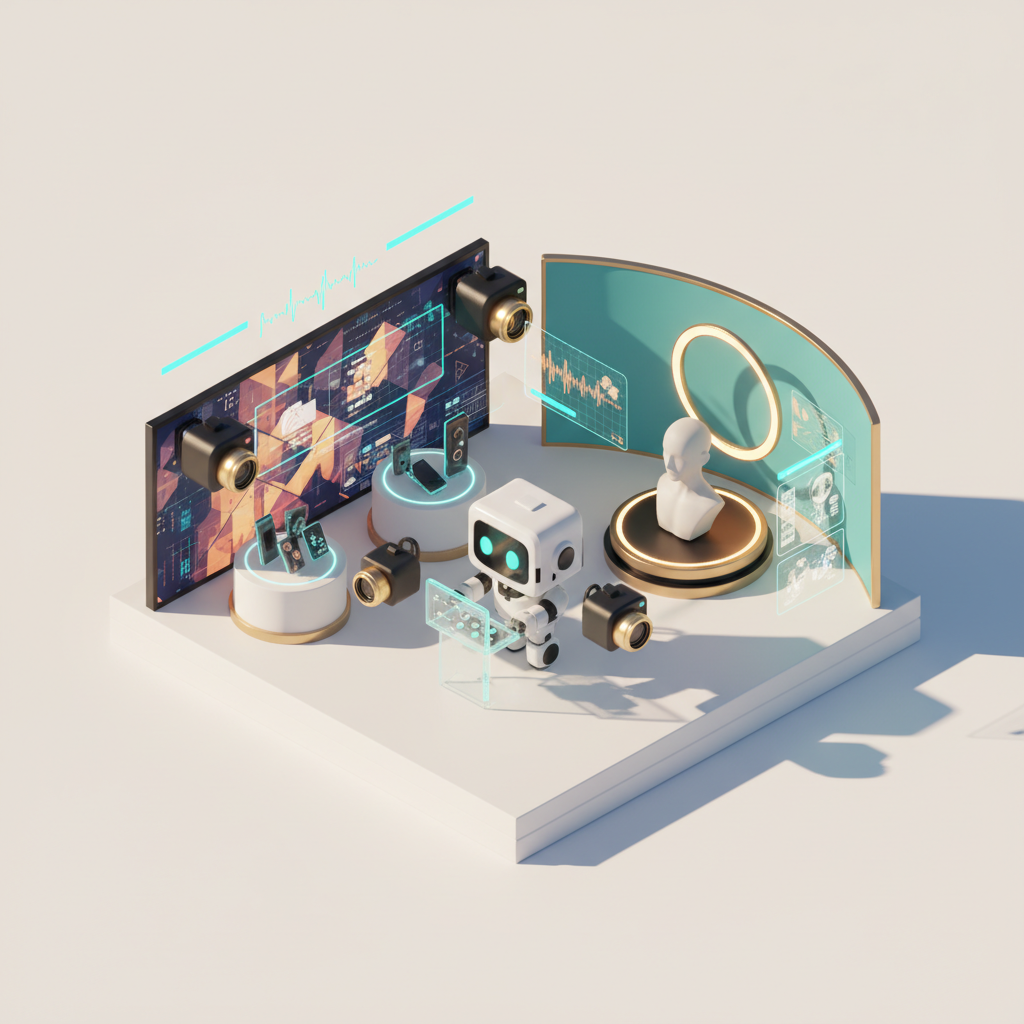
The 2026 Visual Imperative: Why AI Backgrounds are Essential
Remember the days when a decent product photo meant hiring a studio, buying expensive lighting, and spending hours on Photoshop? Or how about trying to get a professional headshot without feeling awkward in front of a photographer, only to find the backdrop totally wrong? Well, those days are pretty much history, especially here in 2026. The visual landscape has shifted dramatically, and frankly, if your visuals aren't on point, you're getting left behind.
Today, consumers expect nothing less than perfection. Whether they're scrolling through an online store, checking out your LinkedIn profile, or browsing your business's latest offerings, the first thing they notice is the visual quality. A cluttered, distracting, or amateurish background isn't just a minor flaw; it's a huge red flag. It tells your audience that you don't care about the details, and if you don't care about that, what else are you skipping? This is where ai background removal and professional photo backgrounds become not just nice-to-haves, but absolute necessities.
We're not talking about simple green screen effects anymore. The AI of 2026 is intelligent, nuanced, and frankly, a bit mind-blowing. It can understand depth, lighting, and textures in ways we couldn't have imagined even a couple of years ago. This leap in technology means you can achieve ai product photography that rivals traditional studio shots, and generate ai headshot generator images that look authentically professional, all without ever stepping foot outside your home or office. But the secret sauce, the true differentiator, lies in the backgrounds. A powerful foreground image, say of your new gadget or your smiling face, needs a background that complements, enhances, and grounds it in reality. Without that, it just floats, looking fake and unprofessional.
Introducing Quby's Background Studio: Your 2026 AI Photography Solution
So, you know you need amazing visuals. You know AI can get you there. But how do you actually make it happen without becoming an AI prompt engineering wizard or spending hours fiddling with complex tools? That's exactly why we built Quby's Background Studio. Consider it your secret weapon for nailing those 2026 visual standards, every single time.
Quby (quby.app) isn't just another ai photo enhancer or a basic background remover. It's a comprehensive creative suite designed to put professional-grade visual power right at your fingertips. We've thought about every pain point in creating stunning visuals, from isolating subjects to crafting perfect backdrops, and engineered solutions that are intuitive and incredibly effective.
Our Background Studio focuses on taking your good photos and making them great, or even taking your okay photos and making them amazing. It starts with incredibly precise ai background removal. We're talking about intricate details, wisps of hair, complex product edges, all handled with a sophistication that leaves competitors scratching their heads. Once your subject is isolated, the real magic happens: you get to choose from, or generate, a vast library of professional photo backgrounds. These aren't just stock images; these are AI-generated, perfectly lit, context-aware environments designed to make your subject pop. Whether you need a sleek, minimalist studio for your new smartphone or a warm, inviting office for your headshot, Quby's got you covered.
Step-by-Step: Crafting 2026 AI Product Photography with Quby
Let's get practical. Imagine you're launching a fantastic new eco-friendly water bottle. You want your ai product photography to convey premium quality, sustainability, and a touch of modern design. Here's how Quby's Background Studio turns that vision into reality:
-
Snap Your Photo: You don't need a fancy camera. A good quality smartphone photo, taken in decent lighting, is often more than enough for Quby to work with. Get a few angles of your water bottle. Don't worry about the cluttered kitchen counter or the messy desk in the background. That's what Quby is for.
-
Upload to Quby's Background Studio: Head over to quby.app and upload your chosen product shot. The interface is clean, easy to understand, and gets you right to the action.
-
Automatic
AI Background Removal: The moment your image is uploaded, Quby's advanced algorithms get to work. In seconds, you'll see your water bottle perfectly cut out from its original surroundings. Seriously, it's often astonishing how clean the edges are, even around tricky parts like handles or reflective surfaces. This isn't just a simple selection tool; it's a deep understanding of what's foreground and what's background. -
Choose or Generate Your
Professional Photo Background: This is where you unleash your creativity.
- Browse Our Library: Quby offers a curated collection of
professional photo backgroundsranging from pristine white studios and soft gradients to realistic outdoor settings, urban backdrops, and cozy home environments. You might find a perfect bamboo forest setting to emphasize your bottle's eco-friendliness, or a minimalist, high-tech studio for its sleek design. - Describe Your Dream Background: Feeling adventurous? Use our prompt-based generation. Type something like "smooth stone surface, dappled sunlight, subtle plant shadows, minimalist aesthetic" or "modern kitchen island, warm natural light, blurred background of healthy fruits." Quby, powered by sophisticated image models like Ideogram 3.0 and Gemini 2.5, will generate options tailored to your description. You can iterate, refine, and tweak until you hit exactly the right vibe.
-
Position and Adjust: Once you have your new background, you can easily drag, resize, and rotate your product to fit perfectly within the new scene. Quby's interface makes it simple to ensure the perspective and scale look natural.
-
Refine with
AI Photo Enhancer: Don't stop at just the background. Quby includes a powerfulai photo enhancerthat can dramatically improve the final output.
- Lighting and Shadows: Need to adjust the lighting on your water bottle to match the new background? Quby can intelligently add realistic shadows and highlights.
- Color Correction: Ensure your product's colors are true to life and pop against the new backdrop.
- Detail and Clarity: Sharpen details, reduce noise, and even upscale your image for larger prints or web displays. This step ensures your
ai product photographylooks polished and high-resolution, ready for prime time.
- Download and Publish: With a click, your perfectly composed, professional product photo is ready. It's that simple. Imagine the time and money you'll save, all while achieving visuals that truly stand out in today's competitive market.
Generating 2026 Professional AI Headshots with Perfect Backdrops
Okay, product shots are one thing, but what about putting your best face forward? A good headshot is absolutely critical in 2026 for LinkedIn, company websites, personal branding, and even dating profiles. And frankly, the generic blue backdrop is just not going to cut it anymore. People want to see personality, professionalism, and a hint of your brand. An ai headshot generator like Quby, combined with smart background selection, makes this easy.
Think about it: you want a headshot that reflects you and your profession. A tech entrepreneur might want a sleek, modern office background. A creative professional might prefer a vibrant, art-filled studio. A consultant could go for a sophisticated, minimalist look that exudes trustworthiness. With Quby's Background Studio, you're not limited to whatever was behind you when you took the selfie.
Here's how to create those perfect professional photo backgrounds for your ai headshot generator output:
-
Start with a Decent Self-Portrait: Again, you don't need a professional photographer. A well-lit selfie or a photo taken by a friend against a relatively neutral background will do. Look directly at the camera, smile genuinely, and make sure your face is clearly visible. The better your initial input, the better Quby can work its magic.
-
Upload to Quby: Just like with product photography, upload your headshot to quby.app.
-
Flawless
AI Background Removal: Quby will precisely remove the original background, isolating you with incredible accuracy, even around complex hair strands or clothing details. This is crucial for headshots where any haloing or blurriness around the edges immediately screams "fake." -
Curate Your
Professional Photo Background: This is where your personal brand comes into play.
- Office Environments: Choose from executive offices with subtle natural light, modern co-working spaces, or academic libraries.
- Creative Spaces: Opt for an artist's studio, a brick-walled loft, or a vibrant, blurred city street at golden hour.
- Neutral & Elegant: Sometimes less is more. Select soft, gradient backdrops, textured walls, or understated abstract designs that keep the focus entirely on you.
- Custom Generation: Don't see exactly what you want? Describe it. "Warm, sunlit cafe background, subtly blurred, professional yet inviting" or "minimalist gray wall, soft overhead lighting, modern architectural details." Quby will generate options that perfectly match your vision for your
ai headshot generatoroutput.
- Fine-Tune Your Look: After placing yourself in the new background, use Quby's tools to adjust your position and size. Then, dive into the
ai photo enhancerfeatures:
- Skin Smoothing: Gently even out skin tone and reduce blemishes without making you look unnatural.
- Lighting Match: Ensure the lighting on your face perfectly blends with the new background's light source.
- Color Toning: Harmonize colors between your outfit and the backdrop for a cohesive look.
- Sharpness and Clarity: Make sure your eyes are sharp and clear, capturing attention.
The result? A professional headshot that genuinely looks like you hired a top-tier photographer and had them shoot you in a perfectly chosen location. And it took you minutes, not hours or days.
Beyond Removal: Quby's AI Photo Enhancer for Flawless Results
We've talked a lot about background removal and replacement, which is a huge part of what Quby's Background Studio does. But let's not forget the "enhancer" part of ai photo enhancer. This isn't just about swapping out one thing for another; it's about elevating the entire visual quality of your image, regardless of its original state.
The ai photo enhancer in Quby is a sophisticated engine that leverages the latest advancements in image processing, drawing power from models like FLUX 1.1 and Grok Imagine, which are setting new benchmarks in detail and realism. What does this mean for you?
- Intelligent Lighting Correction: Ever taken a photo where one side of your face is too dark, or a product has an awkward glare? Quby can intelligently rebalance the lighting, adding subtle fills or reducing harsh spots to create a more even, professional illumination.
- Color Grading and Correction: Sometimes, colors just don't look right. They might be washed out, too saturated, or have an undesirable tint. Our
ai photo enhancercan analyze the image and apply intelligent color adjustments, bringing vibrancy and accuracy back to your photos. Imagine your product looking richer, or your skin tone appearing more natural and healthy. - Detail Restoration and Upscaling: Have an older photo you want to use, but it's a bit low-resolution or slightly blurry? Quby can often restore lost details, sharpen edges, and even upscale images to significantly higher resolutions without introducing pixilation or artifacts. This is incredibly useful for repurposing existing assets or preparing images for print.
- Noise Reduction: Grainy photos are a thing of the past. Our enhancer can intelligently reduce digital noise, making your images appear smoother and cleaner, especially in low-light conditions.
- Object Removal (Subtle): Beyond just background removal, sometimes there's a small distracting element within your subject or foreground. Quby can often subtly remove these minor imperfections, like a small dust speck on a product or a stray hair on your shoulder, making your final image truly immaculate.
So, while you might come to Quby for the amazing ai background removal, you'll stay for the complete ai photo enhancer package that ensures every pixel of your image looks its absolute best.
The 2026 AI Photography Ecosystem: Quby's Advantage with Advanced Models
Here in 2026, the AI landscape is buzzing with incredible innovation. We're seeing breathtaking progress from models like GPT-5 DALL-E and Ideogram 3.0 for image generation, and even video models like Veo 3.1 and Sora 2.0 are pushing creative boundaries. Quby's advantage comes from understanding this dynamic ecosystem and building upon it, not just trying to replace it.
Our Background Studio isn't just a simple filter. It's built on a foundation of proprietary AI models that have been extensively trained on massive datasets of images, environments, and lighting conditions. We actively monitor and integrate advancements from the broader AI research community. For instance, our ai background removal capabilities benefit from breakthroughs in object recognition and semantic segmentation, areas where models like Gemini 2.5 truly shine. When you're generating professional photo backgrounds with text prompts, our system draws on the sophisticated understanding of language-to-image synthesis that models like FLUX 1.1 and Grok Imagine have popularized.
This means Quby is always evolving. We're not static. As new techniques emerge, as models become even more intelligent, we incorporate those learnings into our own systems. You don't need to worry about which specific AI model is best for a given task; Quby handles that complexity for you. We aim to be your single, intelligent hub for all things ai product photography and ai headshot generator related, ensuring you're always tapping into the absolute best capabilities available in 2026. This isn't just about having cool features; it's about delivering consistent, high-quality results that give you a real competitive edge.
And because we're focused on the entire creative process, our future roadmap includes deeper integrations with 3D models like Meshy v4 for even more nuanced scene creation and potentially even linking to advanced voice AI like ElevenLabs v3 for narrative applications in video or interactive experiences. The future of visual creation is collaborative, and Quby is designed to be a central part of that story.
Future-Proofing Your Visuals: The Quby Background Studio Promise
The pace of technological change can feel overwhelming, can't it? What's latest today might be old news by next year. But when it comes to visual content, one thing remains constant: the need for high-quality, engaging images. That's why investing in tools that are built to adapt is so important.
Quby's Background Studio offers a promise: to keep your ai product photography and ai headshot generator outputs looking fresh, relevant, and absolutely top-tier, no matter how fast the visual trends shift. We're committed to continually enhancing our ai background removal and ai photo enhancer features, ensuring that your professional photo backgrounds always meet, and exceed, the expectations of the market.
Think about the sheer flexibility this gives you. You can pivot your brand's aesthetic on a dime, experiment with new product launches without costly reshoots, or update your personal brand image quickly and affordably. This isn't just about saving time or money; it's about empowering you with creative control and agility in a world that demands both. You get to focus on your product, your message, and your brand, confident that your visuals are always representing you in the best possible light.
Ready to make your visuals truly shine?
Stop struggling with complex software or settling for less-than-perfect images. Give Quby's Background Studio a try. It's incredibly easy to use, powerful, and will instantly elevate your ai product photography and ai headshot generator game. See for yourself how effortlessly you can achieve professional photo backgrounds and flawless results with our ai background removal and ai photo enhancer tools. Head over to quby.app and transform your images today.
Ready to Create with AI?
Put these techniques into practice with Quby's professional AI creative tools.
Launch Creative Suite