Mastering 2026 AI Photo Transformation: A Quby Guide for Designers & Content Creators
2026 AI photo transformation is a revolution,
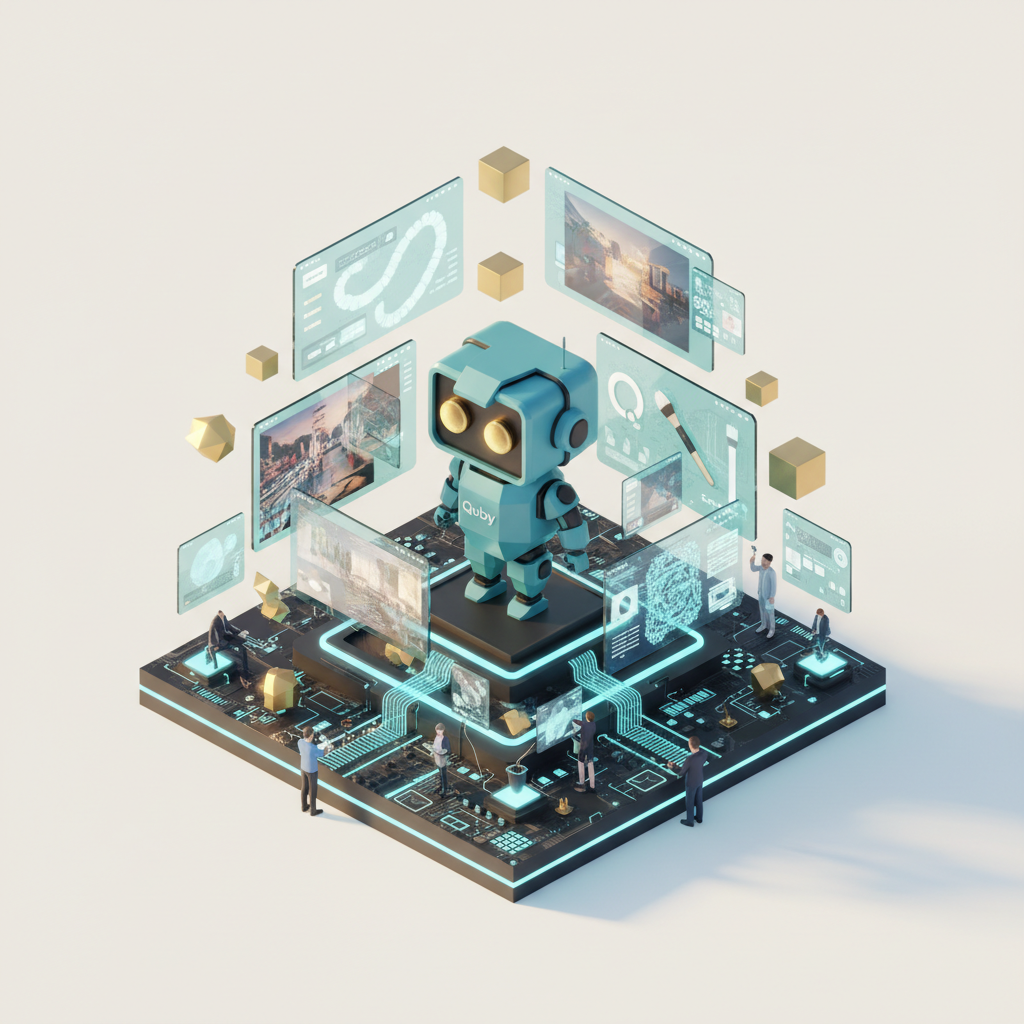
The 2026 Revolution in Photo Editing: Beyond Basic Retouching
Remember the "good old days" of photo editing? You know, back in 2023 or 2024, when we were thrilled by AI that could remove a background cleanly or upscale an image with decent results. Those were simpler times, weren't they? Fast forward to March 2026, and if your creative workflow is still centered on basic retouching, you're missing out on a whole universe of possibilities. We're not just talking about polishing images anymore. We're talking about profound, often instantaneous, ai photo transformation that can redefine entire visual narratives.
This year, AI isn't just a tool in your belt, it's the whole darn workshop. What does that mean for designers and content creators like us? It means the ability to conceive concepts that were once unimaginable, then bring them to life in mere minutes. Imagine altering the very lighting of a scene captured hours ago, or seamlessly integrating an entirely new element into an existing photograph, making it look as though it was always there. The fidelity, the speed, and the sheer creative freedom we have now are truly astonishing.
Gone are the days of painstakingly masking complex objects or spending hours trying to match light sources. Now, with a few well-placed prompts or clicks, your AI companion can handle the grunt work, freeing you up for the truly creative parts. It's about pushing boundaries, experimenting fearlessly, and creating visuals that stop people mid-scroll. But here's the kicker: with great power comes the need for smart choices. The landscape of AI tools is richer and more varied than ever before, which means picking the right partner for your ai creative workflow is more crucial than ever.
The models we're seeing in 2026, like FLUX 1.1 and Ideogram 3.0, aren't just intelligent; they're almost intuitive. They understand context, interpret nuance, and can produce results that genuinely surprise you. They don't just "do what you tell them", they often anticipate what you meant to tell them, offering variations that spark new ideas. This is particularly exciting for anyone who works under tight deadlines or needs to generate a high volume of diverse visual content. From concept art to marketing materials, from social media posts to high-fidelity product mockups, the transformation is real, and it's happening right now. And it's not just about images; it's about how images connect to our stories, our brands, and our audiences.
Choosing Your AI Powerhouse: A 2026 Model Comparison for Image Transformation
Alright, let's get down to business. With the sheer number of powerful AI models available, picking the right one for your ai photo transformation needs can feel a bit like trying to choose your favorite dessert in an all-you-can-eat buffet - overwhelming, but incredibly delicious. For ai for designers and ai for content creators, understanding the nuances of each top-tier image model in 2026 isn't just helpful, it's essential for a smart ai creative workflow. This isn't just an ai tools comparison, it's about finding the best fit for your specific projects.
Here's a look at the heavy hitters we're relying on this year for image generation and manipulation:
-
FLUX 1.1: This one's a precision machine. When you need photorealistic details, incredibly accurate lighting, and consistent stylistic output, FLUX 1.1 often delivers. Its strength lies in generating highly detailed, almost photographic images from complex prompts. If you're creating product shots, architectural visualizations, or character designs that demand a hyperreal aesthetic, FLUX 1.1 is often your first stop. It really shines when you need to maintain brand consistency across a series of visuals. The learning curve isn't steep, but getting truly exceptional results often involves fine-tuning your prompts.
-
Grok Imagine: Known for its creative interpretation and ability to generate diverse, artistic styles. Grok Imagine isn't always about photorealism; it's about aesthetic range. Think abstract art, illustrative styles, and unique visual narratives. If your project calls for something a bit more unconventional, something that pushes artistic boundaries or needs a fresh, distinctive look, Grok Imagine can be incredibly powerful. It's fantastic for mood boards, conceptual art, and anything that benefits from a less literal interpretation of a prompt. Its output can sometimes feel more experimental, which can be a blessing or a curse depending on your needs.
-
Gemini 2.5: Google's latest iteration is a true multitasker. Gemini 2.5 is excellent for understanding multimodal input, meaning you can give it text, images, and even audio to guide its generation. For ai for content creators who often start with existing visual assets and need to expand upon them, or combine concepts from various sources, Gemini 2.5 is a lifesaver. It's also surprisingly good at complex scene understanding and can make intelligent edits that reflect the broader context of an image. Its integration with other Google services can also be a convenience for some workflows.
-
GPT-5 DALL-E: The OG of generative AI has matured beautifully. GPT-5 DALL-E (often referred to just as DALL-E for simplicity, even though it's much more advanced than its predecessors) excels at conceptual understanding and generating images that directly reflect often whimsical or abstract text prompts. It's fantastic for visual storytelling, creating metaphors, or generating images based on very specific, quirky ideas. Its ability to handle abstract concepts with surprising accuracy makes it a favorite for brainstorming visual ideas and quick iterations. Need an astronaut riding a dolphin through a galaxy made of donuts? DALL-E's got you.
-
Ideogram 3.0: This model is a rising star, particularly for its text rendering capabilities within images. If you've ever struggled with AI models mangling text or producing gibberish in your visuals, Ideogram 3.0 is a breath of fresh air. It's excellent for creating logos, promotional graphics, and social media posts where clear, integrated text is absolutely crucial. For ai for designers focused on branding and marketing collateral, this feature alone makes Ideogram 3.0 an indispensable part of their toolkit. Plus, its overall image quality is nothing to sneeze at, offering a balanced approach to both aesthetics and utility.
Each of these models has its unique flavor, its strengths, and areas where it truly excels. The smart move for any creative in 2026 is often not to pick just one but to understand how they can complement each other within a broader ai creative workflow. And this is where a unified platform, like Quby, becomes incredibly valuable. It's not just about accessing these individual powerhouses, but integrating their best features into a cohesive editing experience.
The Quby Image Editor Workflow: Step-by-Step AI Photo Transformation
So, you've got your conceptual idea, you understand the strengths of the various AI models, and now it's time to actually create. This is where the Quby image editor truly shines, providing a centralized hub for your ai photo transformation endeavors. It's built with the realities of the 2026 ai creative workflow in mind, making advanced AI accessible and intuitive for ai for designers and ai for content creators alike.
Let's walk through a typical workflow. Imagine you're a content creator tasked with producing a series of visually striking images for a new campaign, perhaps one that needs to evolve a single core image across different moods and contexts.
-
Start with Your Core Asset: Upload your initial image into Quby. This could be a photograph you took, an existing design element, or even an AI-generated base image from a tool like FLUX 1.1 or Grok Imagine that you generated earlier. Quby is incredibly flexible about where your starting point comes from.
-
Initial AI Analysis and Smart Enhancements: Once loaded, Quby's underlying AI immediately analyzes the image. It's not just looking for faces or objects; it's understanding depth, lighting, composition, and even mood. You might get immediate suggestions for basic enhancements - "Sharpen details?" "Adjust color temperature?" "Enhance dynamic range?" Often, these initial tweaks are smart and save you clicks.
-
Targeted Transformation with AI Brushes and Selections: Here's where it gets fun. Let's say your campaign needs that model in the photo to wear a different outfit, or you want to change the backdrop from a city street to a serene forest.
- Prompt-Based Generation: Select the area you want to change, or even the entire background. Then, simply type in what you want to see. "Change model's jacket to a vintage leather biker jacket, blue." Or "Replace background with a lush, sun-dappled forest." Quby intelligently uses its integrated AI models, sometimes even pulling insights from GPT-5 DALL-E for creative interpretations or FLUX 1.1 for photorealistic precision, depending on your prompt.
- Style Transfer: Need to apply a specific artistic style? Quby offers a range of options, from "oil painting" to "neo-futuristic," and you can even upload a reference image whose style you want to mimic. The AI, drawing on models like Grok Imagine, understands the essence of that style and applies it intelligently, maintaining core image elements.
- Inpainting and Outpainting for smooth Expansion: This is pure magic.
- Inpainting: Accidentally got a stray person in your background? Need to remove a logo from a product shot? Select the unwanted element, hit "remove," and Quby fills the area with context-aware content that matches the surroundings. It's like it was never there.
- Outpainting: This expands your canvas. Imagine you have a square photo, but your layout needs a horizontal banner. Quby can intelligently extend the image beyond its original borders, generating new content that logically continues the scene. It's fantastic for adapting visuals for different aspect ratios without cropping or losing vital information.
-
Refinement with Intuitive Editing Tools: While AI does the heavy lifting, you're always in control. Quby integrates traditional editing tools right alongside its AI capabilities. Adjust color curves, fine-tune saturation, add grain, or apply specific filters post-AI transformation. This hybrid approach ensures you can put your personal stamp on every image. It's about letting AI get you 90% of the way there, then finessing that last 10% with your human eye.
-
Batch Processing for Efficiency: For content creators dealing with high volumes, Quby offers smart batch processing. Apply the same series of AI transformations or edits to multiple images at once. Imagine needing to change the sky in 50 photos from a single photoshoot. No problem. This saves untold hours and ensures consistency across your entire output.
The beauty of the Quby image editor is that it doesn't just present you with powerful AI. It integrates these tools into a logical flow that feels natural and empowering. It removes the technical hurdles, so you can focus on the creative vision. Want to try it out? Just head over to quby.app and see what you can transform.
Advanced Techniques: Blending AI & Creativity for Unrivaled Visuals in 2026
So, you've got the basics of ai photo transformation down with the Quby image editor. But what about pushing beyond the ordinary? In 2026, the real magic happens when you start blending these powerful AI capabilities with your own unique creative vision. This isn't just about making good images; it's about crafting visuals that truly stand out, visuals that feel bespoke and impossible to replicate with older methods. This is where ai for designers and ai for content creators move into a master class.
Here are some advanced techniques that can really elevate your ai creative workflow:
-
Multi-Model Chaining for Complex Concepts: Don't limit yourself to one AI model's strength per image. Think of it like this: start with GPT-5 DALL-E for a wild, conceptual base image that captures a specific, abstract idea. Then, bring that image into Quby. Use FLUX 1.1-powered tools within Quby to refine the photorealistic elements, adding incredible detail to specific textures or objects. Maybe then, you'll use a Grok Imagine-inspired style transfer on a particular section to give it an artistic edge. By chaining these models, you get the best of all worlds - conceptual freedom, realistic detail, and artistic flair, all managed within Quby's interface.
-
Prompt Engineering as an Art Form: We're beyond simple "cat on a mat" prompts. In 2026, prompt engineering is a skill that distinguishes truly exceptional AI artists. Learn to use negative prompts effectively ("no blurry edges," "avoid cartoonish style"). Incorporate specific stylistic keywords ("cinematic lighting, f/1.8, bokeh," "expressionist brushstrokes, vibrant colors"). The more detailed and specific you are, while also allowing room for AI interpretation, the more unique and tailored your results will be. Think of your prompt as a conversation with a highly skilled, but literal, assistant.
-
The Power of Reference Images in Prompts: Don't just rely on text. When working in Quby, upload reference images alongside your text prompts. Want a specific lighting mood? Show an example. Need a particular texture? Provide an image. AI models like Gemini 2.5 are fantastic at understanding visual context, and Quby lets you feed that context directly into your transformations. This drastically improves the consistency and accuracy of your generated content, especially when trying to match a client's aesthetic.
-
Strategic Layering and Compositing: While AI can generate entire scenes, often the most compelling results come from generating elements separately and compositing them yourself, perhaps within Quby or another design tool. Generate a character with one prompt, a background with another, and a specific prop with a third. Then, bring them together. Quby's intelligent selection and masking tools make this much easier than traditional methods, allowing you to blend AI-generated elements with unprecedented realism. Think about using AI for a hyper-realistic background, then placing a hand-drawn character on top, creating a unique mixed-media look.
-
Leveraging AI for Iteration and A/B Testing: For content creators, AI is a dream come true for rapid iteration. Need five variations of a social media ad, each with a slightly different mood or color scheme? Use Quby's AI to generate them in minutes. This allows you to A/B test different visual approaches without spending hours in manual design. Get data on what performs best, then refine your ai creative workflow based on real-world results. It's a scientific approach to creativity!
-
Cross-Pollinating with Other AI Modalities: This is where things get really future-forward. Imagine using AI 3D models like Meshy v4 to generate an object, then bringing that 3D object into Quby to render it into an existing 2D photo with realistic shadows and reflections. Or, generating a character design in Quby, and then using a 2026 video model like Sora 2.0 to animate it into a short clip. The integration between these different AI domains is growing fast, and Quby is designed to be a central part of that interconnected creative ecosystem. Your images can inform your videos, your 3D models can enhance your photos - it's a truly interconnected creative world.
These advanced techniques aren't about letting AI do all the thinking. They're about empowering you to think bigger, work smarter, and create visuals that truly capture attention in the dynamic visual landscape of 2026. It's about being the conductor of your AI orchestra, not just a spectator.
Future-Proofing Your Creative Workflow with Quby in 2026
If there's one constant in the tech world of 2026, it's change. AI models are evolving at breakneck speed, new capabilities are emerging weekly, and the tools that were "essential" last year might feel dated tomorrow. So, how do you keep your ai creative workflow from becoming obsolete? How do you ensure your skills and tools remain relevant for years to come? The answer, for many ai for designers and ai for content creators, lies in adaptable platforms like Quby.
Think about it: today, we're talking about FLUX 1.1 and Ideogram 3.0. Next year, we might be discussing FLUX 2.0 or Ideogram 4.5, or entirely new contenders. The beauty of a platform like Quby is that it's designed to integrate the best and latest AI models as they emerge. You don't have to jump from one standalone app to another, learning new interfaces every time a better model comes out. Quby acts as your central hub, continuously updating its backend to ensure you have access to the most powerful ai photo transformation capabilities available. This means less time chasing new tech and more time actually creating.
This adaptability isn't just about convenience; it's about investing in a system that grows with you. As a designer or content creator, your time is your most valuable asset. Spending it wrestling with fragmented tools or constantly re-learning workflows isn't productive. A unified quby image editor approach means you can focus on mastering the craft of AI-powered creation, rather than just the mechanics of individual tools. You learn one powerful platform, and it keeps you on the cutting edge.
Furthermore, Quby's commitment to intuitive design means that even as AI gets more complex under the hood, the user experience remains approachable. It translates those sophisticated AI algorithms into simple clicks, sliders, and prompts that make sense to a creative professional, not just a data scientist. This approach democratizes advanced AI, putting truly powerful capabilities into the hands of everyone who wants to tell compelling visual stories.
Ultimately, staying ahead in 2026 means embracing AI not as a novelty, but as an integral, evolving part of your creative process. It means choosing tools that are forward-thinking and designed for longevity. Quby isn't just a tool for today; it's a partner for the future of your visual work. It's here to help you innovate, iterate, and inspire, ensuring your creative output always feels fresh, relevant, and utterly captivating.
Ready to see how a future-proof ai creative workflow can transform your projects? Give Quby a try today. Explore its integrated AI power and start creating visuals that truly resonate. Your next masterpiece is waiting.
Ready to Create with AI?
Put these techniques into practice with Quby's professional AI creative tools.
Launch Creative Suite