How to Use FLUX.2 for Multi Reference Creator Workflows
FLUX.2 on Replicate gives creators a practical way to test product shots, style references, and campaign variants from one image workflow. Here is how to choose a tier, write prompts, and review outputs without wasting credits.
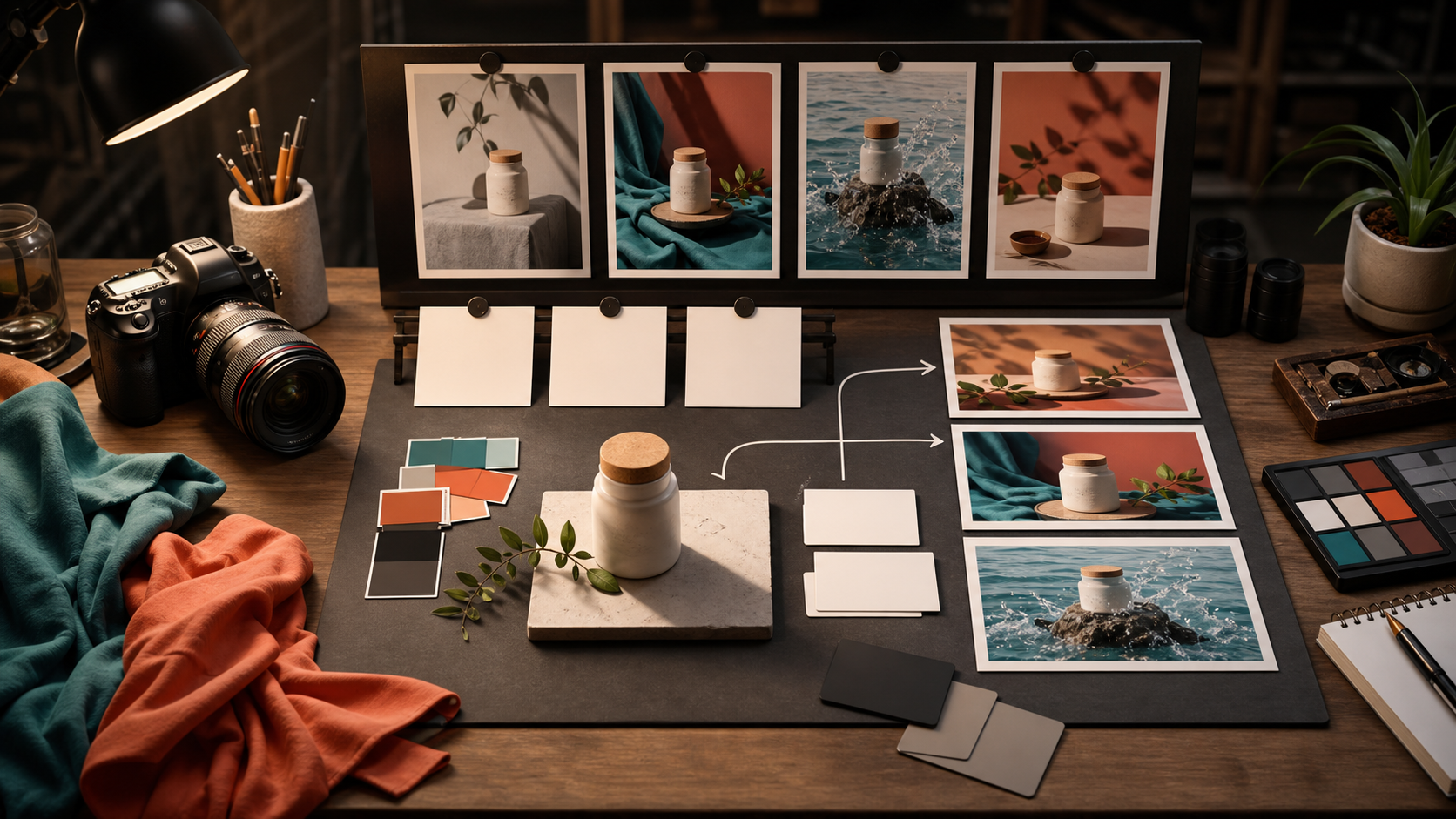
Replicate's FLUX.2 launch is useful for creators because it is not just another text to image model. The practical hook is multi reference work: using several input images to keep a person, product, room, outfit, or visual style consistent while you test new shots. That matters when you are making thumbnails, product demos, social posts, landing page visuals, or short video source frames. The creator problem is usually not "can I make one good image." It is "can I make ten related images that still look like they came from the same shoot." FLUX.2 is interesting because Replicate lists separate tiers for speed, quality, and open source testing, plus support for input image references. That makes it a good workflow tool, not only a novelty generator. If you use Quby for video or image planning, think of FLUX.2 as a campaign frame builder. You can create the stills that define a look, then bring the strongest result into a video edit, product demo, ad sequence, or thumbnail system. The important part is to treat the model like a production assistant with a brief, not like a slot machine.
Pick the right FLUX.2 tier before prompting
Replicate lists three FLUX.2 variants: pro, flex, and dev. Use the choice to control cost, review speed, and detail level. Use FLUX.2 pro when you need fast campaign exploration. Use it for first pass product scenes, creator thumbnails, short social ad concepts, and reference checks where fast comparison matters. Use FLUX.2 flex when the image depends on details: packaging, fabric, face consistency, jewelry, UI mockups, posters, or anything people will inspect. Upgrade after the direction is proven. Use FLUX.2 dev when you are testing a prompt framework or building an internal creative process. It is useful for prompt templates, quick thumbnails, or engineering tests where you care about structure more than final polish. The mistake is using the most detailed option for every draft. Start cheap and fast, then upgrade only the winning direction. That keeps the workflow creative instead of credit hungry.
Build a reference stack, not a random image dump
Multi reference generation works best when every image has a job. Before you upload anything, label your inputs in plain language:
- Product reference: the exact bottle, shoe, room, app screen, outfit, or object that must stay recognizable.
- Style reference: lighting, color, camera mood, surface texture, or design language.
- Pose or layout reference: how the subject should sit in frame.
- Background reference: the environment, not the subject identity.
- Constraint reference: the thing you do not want the model to change. Do not upload five images just because you have them. Two clear references beat eight mixed signals. For a product demo, a clean product shot plus one style frame is often enough. For a creator portrait series, use identity, wardrobe, and lighting references. A strong reference stack also makes review easier. If the product changed, strengthen that reference. If the mood changed, simplify the style image. If the pose changed, add a layout reference or use more direct wording.
Write prompts like a shoot brief
A good FLUX.2 prompt should explain subject, setting, camera, lighting, material, and constraints. Avoid vague praise words. The model cannot act on "make it premium" as well as it can act on "matte ceramic jar on travertine, low side light, shallow depth of field, warm shadow, no label text." Try this structure: Subject: what is in the scene. Purpose: thumbnail, product ad, tutorial frame, hero image, social post, or storyboard frame. Reference roles: what each input image should control. Composition: camera angle, crop, distance, and empty space. Lighting: studio, window, sunset, overhead, softbox, neon, hard flash, or outdoor shade. Materials: fabric, skin, metal, glass, paper, food, plastic, stone, water, or screen surface. Constraints: what must not change. Here are prompt examples you can adapt. Prompt for product variants: "Use image 1 as the exact product reference. Keep the bottle shape, cap, proportions, and material consistent. Create a 16:9 editorial product photo on a warm stone counter with soft side light, small green leaves, and a clean coral backdrop. Leave empty space on the left for cropping. No text, no logo changes, no extra bottles." Prompt for creator thumbnails: "Use image 1 for the creator identity and image 2 for the lighting style. Create a close portrait for a video thumbnail, confident expression, clean desk background, teal rim light, warm key light, realistic skin texture, sharp eyes, shallow depth of field. Keep face identity consistent. No text, no exaggerated smile, no extra people." Prompt for fashion or UGC ads: "Use image 1 as the garment reference and image 2 as the pose reference. Create a vertical lifestyle ad frame of the same jacket worn outdoors near a glass storefront after rain. Keep the jacket color, stitching, collar, and fit consistent. Natural walking pose, cinematic reflection on pavement, realistic fabric folds. No brand text, no distorted hands." Prompt for video source frames: "Create a first frame for a short product demo video. The product sits centered on a rotating display base, with three blank reference cards behind it and soft studio light from the right. The scene should feel ready for a slow push in camera move. Keep background simple, no text, no UI, no watermark."
Decide what to edit and what to regenerate
When a result is 70 percent right, do not rush to regenerate from scratch. First decide what kind of failure you are seeing. Regenerate when the concept is wrong: bad angle, wrong audience, weak composition, cluttered scene, or no clear focal point. Editing a bad concept wastes time. Edit when the concept is right but one part failed: hand shape, product color, background item, crop, lighting balance, or a detail that should stay localized. FLUX.2 is positioned for localized editing, so it is worth using when the image already has the right bones. Change the reference stack when identity or product consistency is wrong. If a shoe shape drifts across outputs, the prompt alone may not fix it. Use a cleaner product reference, reduce style conflicts, and state which properties cannot change. Change the tier when detail is the issue. If the prompt and references are clear but typography, small objects, or surface detail still fail, move from a draft tier to a quality tier.
Review outputs with a simple scorecard
A creator workflow needs a clear pass or fail process. Use a five point check before you spend more time on an image.
- Identity: does the person, product, or object still match the reference?
- Readability: does the image communicate the idea in one second?
- Crop safety: will it work as 16:9, 9:16, and square if needed?
- Detail: do hands, labels, fabric, reflections, and shadows hold up?
- Next step: is this worth editing, animating, or publishing? If an image fails identity or readability, reject it. If it passes those but fails detail, edit or rerun at a higher tier. If it passes all five, save it as a reusable reference for the next generation. In Quby, you can use this scorecard before moving stills into Video Studio. Pick one hero frame, one alternate crop, and one backup style. That gives you enough material to build a short product demo without drowning in nearly identical images.
Turn one winning image into a campaign set
Once you have one strong image, make related assets from it instead of starting over. Ask for controlled variations:
- Same product, new background.
- Same creator, new expression.
- Same room, new camera angle.
- Same lighting, new prop arrangement.
- Same scene, wider crop for a hero banner.
- Same scene, tighter crop for a thumbnail. Keep your prompt stable and change one variable at a time. If you change camera, lighting, background, and wardrobe together, you will not know what improved the result. For social ads, make clean product, human use, and context shots. For tutorials, make setup, process, and result frames. For ecommerce, make hero, detail, and lifestyle frames. Multi reference support helps the campaign feel connected while each image still has a different job.
A soft CTA for video creators
If your best FLUX.2 frame looks like the opening shot of a demo, bring it into Quby Video Studio and test it as a source frame for a short promo. Add a simple motion idea, keep the reference image visible in your planning notes, and compare the video against the same scorecard: identity, readability, crop safety, detail, and next step. The best creator workflow is not more generation. It is clearer decisions. FLUX.2 gives you better control when you feed it clean references, specific prompts, and a review process that protects consistency. Start with a small reference stack, prove the visual direction, then scale the winner into the formats your audience will actually see.
Ready to Create with AI?
Put these techniques into practice with Quby's professional AI creative tools.
Launch Creative Suite