The Best Free AI Image Generators of 2026: Quby's Advantage in Text to Image Art
Discover why Quby leads the pack in free
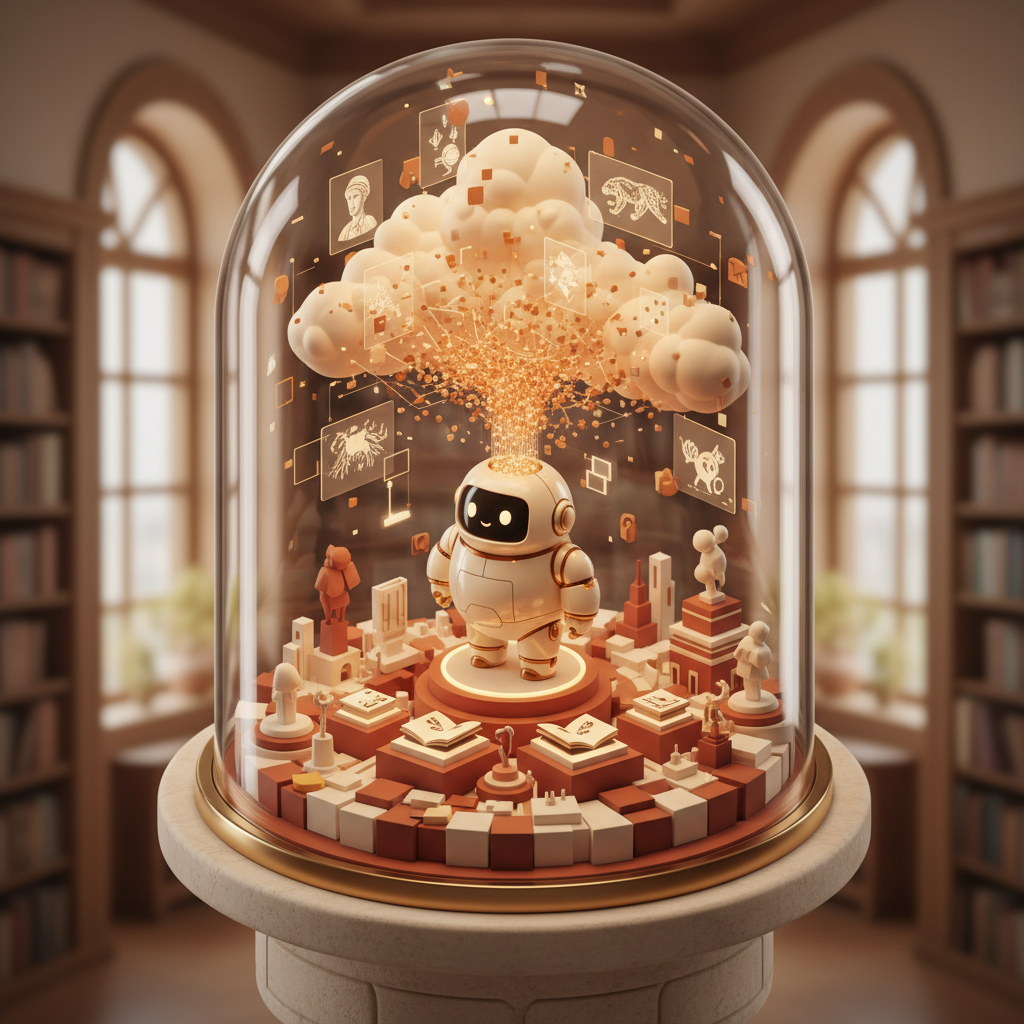
The Rise of Free AI Image Generation in 2026: What to Expect
Hey there, fellow creators and curious minds! It's March 2026, and if you haven't dipped your toes into the incredible world of AI-generated art yet, what are you waiting for? The advancements in artificial intelligence over the past year or so have been nothing short of astounding. We're not just talking about minor tweaks; we're witnessing a true creative explosion, especially in ai image generator free tools.
Remember those clunky, sometimes bizarre, images from just a couple of years back? Forget 'em. Today's AI can conjure up photorealistic landscapes, intricate character designs, abstract masterpieces, and everything in between, often with just a few words. This isn't just about fun anymore. Artists, designers, marketers, educators, and even casual hobbyists are using these tools to bring their visions to life faster and more vividly than ever before.
The big shift we're seeing in 2026 isn't just about quality, though that's certainly gone way up. It's about access. More powerful ai art generator platforms are offering free tiers, daily credits, or community models that let anyone experiment and create without upfront costs. This means the barrier to entry for high-quality visual creation is practically gone. You don't need expensive software or years of training to get started. You just need an idea, a few well-chosen words, and the right tool.
This year, the integration of AI models has gotten smarter, too. It's not just about images; we're seeing AI video models like Veo 3.1 and Runway 4.5 pushing boundaries, alongside incredible 3D models like Meshy v4. But for pure visual art, text to image ai free options are where a lot of the magic happens for everyday creators. It's truly a golden age for digital art, and the best part? A significant chunk of it is available for free.
Defining 'Best' and 'Free': Key Criteria for 2026 AI Image Generators
When we talk about the best ai image generator 2026, what do we actually mean? "Best" is subjective, of course, but for free tools, a few criteria stand out. It's not just about raw image quality anymore. Many models can produce stunning visuals. The real differentiators are things like ease of use, consistency, the range of styles it can handle, and how much creative control it gives you.
Here's what to look for when you're scouting for your go-to free ai art platform:
- Image Quality and Fidelity: This is a given. Can it produce images that look good, are detailed, and match your prompt? Are there often weird artifacts or distorted elements, or does it consistently deliver clean outputs?
- Prompt Understanding: A great AI understands what you're asking for, even if your prompt isn't a novel. It should interpret nuances and generate images that truly reflect your textual input.
- Speed of Generation: Nobody wants to wait ten minutes for a single image, especially on a free tier. Quick turnaround times mean more experimentation and faster iteration.
- Style Versatility: Can it do photorealism one minute and abstract oil painting the next? The more styles an
ai art generatorcan master, the more valuable it becomes. - User Interface (UI) and Experience (UX): Is the platform intuitive? Can you easily find options, manage your creations, and iterate on prompts without a steep learning curve? A clunky interface can ruin the fun, no matter how good the AI is.
- Output Options and Editing Features: This is huge, especially for free tools. Can you download images in good resolution? Are there basic editing capabilities built-in? This is where platforms like Quby really shine, offering more than just generation.
- Free Tier Generosity: How many images can you generate per day or month? Are there restrictions on features? Some platforms offer a few basic generations, while others provide a more solid experience for free users. We're looking for the latter.
Ultimately, the best free AI image generator for you will be the one that meets your specific creative needs without costing you a dime. It's about finding that sweet spot between powerful AI and genuinely accessible free features.
Top Free AI Image Generators of 2026: A Look at FLUX 1.1, Grok Imagine, and More
So, who's leading the pack in 2026 for ai image generator free options? It's a competitive space, but a few names keep popping up thanks to their impressive capabilities and accessible free tiers.
FLUX 1.1: This model has been making waves since its initial release, and FLUX 1.1 continues that trend with even greater detail and stylistic control. Its ability to handle complex prompts with multiple subjects and intricate backgrounds is really something. For free users, FLUX often provides a generous daily allowance, making it a favorite for quick concept generation or exploring diverse artistic styles. It's particularly strong for illustrative work and stylized art, giving you crisp lines and vibrant colors. Many artists swear by it for character design and scene creation, and its free tier is a great way to see what all the fuss is about.
Grok Imagine: Coming from a rather well-known corner of the AI world, Grok Imagine has quickly established itself as a contender for generating highly realistic images. If you're looking for photorealism, this is a strong choice. It excels at rendering textures, lighting, and human subjects with an uncanny fidelity. The free access might be credit-based or time-limited, but it often provides enough scope for you to get a feel for its capabilities and create some truly stunning, lifelike visuals. It's an excellent tool for mock-ups, product visualizations, or even generating realistic backgrounds for compositing.
Gemini 2.5 and GPT-5 DALL-E: These two giants are, of course, everywhere. Gemini 2.5 has shown remarkable improvement in understanding nuanced prompts and generating coherent, contextually aware images. It's excellent for abstract concepts and symbolic imagery, often surprising you with its creative interpretations. GPT-5 DALL-E, building on its predecessors, is another powerhouse. Its strength lies in its versatility and its smooth integration into other platforms. Both offer text to image ai free options, usually through a limited credit system or a free trial period, making them accessible entry points for many. Their ability to generate a wide array of styles, from whimsical to hyper-realistic, means you'll find something for almost any project.
Ideogram 3.0: This one has gained a lot of traction for its impressive ability to handle typography within images, a traditionally tricky area for AI. If you need text in your generated art - think logos, posters, or branded content - Ideogram 3.0 is definitely worth checking out. Its free tier is often quite generous, allowing for significant experimentation, and its focus on legible, well-integrated text makes it stand out from the crowd.
Each of these platforms offers something unique, and exploring their free tiers can give you a fantastic overview of what's possible with free ai art today. But what if you want to take those amazing generations and push them even further? That's where Quby comes in.
Quby's Advantage: Unlocking Superior Free Text to Image Art with Our Image Editor
Okay, so you've played around with some of these fantastic ai image generator free tools. You've got some cool generations. But sometimes, an AI-generated image is almost perfect. It's got the right vibe, the right colors, but maybe a slight imperfection. A wonky finger. An extra limb. A background element that just isn't quite right. What do you do? Most free generators just give you the image and send you on your way.
This is where Quby (quby.app) steps in and offers a significant advantage. We understand that creation isn't just about generation; it's about refinement. It's about making that raw AI output truly yours. Quby isn't just another ai art generator; it's a comprehensive creative suite that pairs powerful text to image ai free capabilities with a surprisingly solid quby image editor, all accessible without spending a cent.
Think about it: You generate a stunning image of a futuristic cityscape. But you want to add a specific neon sign, or change the color of a building, or maybe just crop it differently for a social media post. With many other free tools, you'd have to download the image, open a separate editing program, and then start working. That breaks your creative flow and adds unnecessary steps.
On Quby, you generate your image with our intuitive ai image generator free tool, and then, instantly, it's ready for tweaking in our integrated editor. Need to remove an object? No problem. Want to enhance colors, adjust lighting, or even add creative filters? It's all right there. Our quby image editor lets you:
- Refine Details: Fix those small glitches that AI sometimes produces.
- Enhance and Adjust: Tweak colors, contrast, brightness, and saturation to get the perfect mood.
- Add Overlays and Effects: Experiment with textures, light leaks, and artistic filters.
- Crop and Resize: Easily optimize your images for different platforms or print sizes.
- Composite Elements: Combine multiple generations or add traditional graphic elements.
This combination is a real game-changer for free ai art. You get the lightning-fast idea generation of AI, followed by the precise control of a dedicated image editor, all in one place and without any cost. It's like having a top-tier ai art generator and a professional photo studio rolled into one accessible platform. This integrated approach ensures that your creative vision isn't just generated, but perfected. You'll find yourself reaching for Quby again and again because it gives you that complete creative loop, from prompt to polished masterpiece.
Your 2026 Playbook: Getting Started with Free AI Image Generation on Quby.app
Ready to dive in and start creating some incredible free ai art? Great! Here's your simple playbook for getting the most out of text to image ai free tools, especially when using Quby.app:
-
Start Simple, Then Elaborate with Prompts: Don't feel pressured to write a novel right away. Begin with a clear subject and a desired style. For example, instead of "a creature," try "a bioluminescent deep-sea creature, ethereal, dark ocean background, detailed, cinematic lighting." Once you get a sense of what the AI understands, start adding details. Describe colors, moods, camera angles, and artistic inspirations. The more specific, the better, but don't overdo it. Sometimes, less is more.
-
Experiment with Styles: Use keywords like "photorealistic," "oil painting," "digital art," "anime style," "sci-fi concept art," "impressionistic," or "cyberpunk." See how the
ai image generator freeinterprets different artistic approaches. Quby's generator is designed to be versatile, so play around! -
Iterate, Iterate, Iterate: Don't expect perfection on the first try. Generate several variations, tweak your prompt slightly, and try again. That's the beauty of having a free daily allowance - you can afford to experiment. If you don't like what you get, change a few words in your prompt and hit generate again. You'll be surprised what a small change can do.
-
Use Negative Prompts (When Available): Some advanced
ai art generatortools, including Quby, let you specify what you don't want in your image. For example, if you're getting too much green, add "NOT green" to your negative prompt. This can be super helpful for steering the AI away from undesirable elements. -
Leverage the Quby Image Editor: This is critical! Once you've generated an image you like, or even one that's almost perfect, jump into the
quby image editor.
- Crop for Composition: Often, an AI-generated image has fantastic elements but needs a better crop to truly shine.
- Color Correction: A quick tweak to brightness or saturation can elevate an image from good to great.
- Object Removal: Did the AI add a weird floating rock? Our tools can help you get rid of it.
- Upscaling: Make sure your
free ai artis high-resolution enough for your needs.
- Stay Creative and Have Fun: This technology is meant to augment your creativity, not replace it. Use it as a springboard for ideas, a tool to visualize concepts, or just a way to explore new artistic avenues. The more you play, the more you'll learn, and the more stunning
text to image ai freecreations you'll produce.
Head over to quby.app and start your creative journey today. You'll find a welcoming platform with powerful tools designed to help you make amazing things, absolutely free.
Conclusion: Your Go-To Platform for Free AI Art in 2026
The world of ai image generator free tools in 2026 is rich, diverse, and genuinely exciting. We've seen incredible advancements from models like FLUX 1.1, Grok Imagine, Gemini 2.5, GPT-5 DALL-E, and Ideogram 3.0, each offering unique strengths for text to image ai free creation. The quality of free ai art available today is simply astounding, making high-quality visual content creation accessible to everyone.
But for true creative control, for taking those amazing AI generations and turning them into polished, professional-grade artwork, you need more than just a generator. You need an integrated creative environment. That's precisely what Quby offers. Our commitment to providing a top-tier ai image generator free of charge, coupled with a powerful and intuitive quby image editor, positions us as your ultimate creative companion in 2026.
Why settle for just generating an image when you can perfect it? Quby doesn't just give you the building blocks; it gives you the entire workshop. You get to experiment with prompts, generate stunning visuals, and then refine them with precision, all within one smooth platform. It's the smart choice for creators who want to push the boundaries of what free ai art can be.
Ready to stop wishing and start creating? Come join the vibrant community of creators making incredible art every day. Check out quby.app and transform your ideas into visual realities, without opening your wallet. Start making something amazing today!
Ready to Create with AI?
Put these techniques into practice with Quby's professional AI creative tools.
Launch Creative Suite