Unlock Stunning Visuals 2026: The AI Guide to Flawless Product Photos & Professional Headshots with Quby
Unlock flawless visuals in 2026! Discover
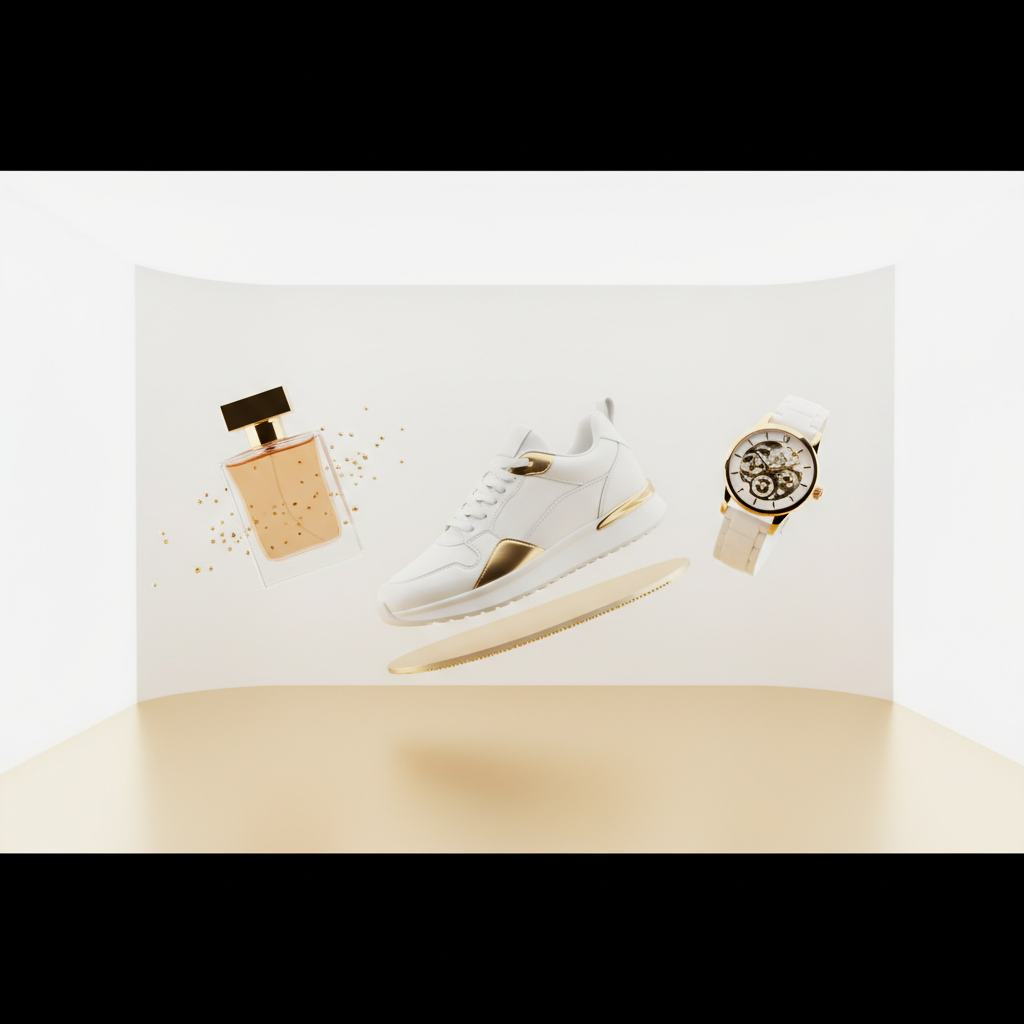
The Visual Revolution of 2026: Why AI Backgrounds Matter
Alright, let's talk visuals. You know it, I know it: we live in a world absolutely swimming in images. From the moment you unlock your phone in the morning to the last scroll before bed, you're bombarded. And here in March 2026, the demand for truly stunning, eye-catching visuals isn't just a trend, it's the baseline. If your brand, your product, or even your professional profile isn't putting its best foot forward visually, you're not just falling behind, you're becoming invisible.
For years, getting those perfect shots meant a hefty investment. You'd need professional photographers, fancy studios, lighting rigs that cost more than some cars, and then endless hours in post-production. It was a huge barrier for small businesses, aspiring professionals, or anyone simply trying to make a good impression online. But something big shifted. AI didn't just nibble at the edges of this problem, it swallowed it whole.
What changed? The sheer intelligence of today's AI image generation and editing models. We're talking about systems like FLUX 1.1, Grok Imagine, and Ideogram 3.0, which can understand context, generate hyper-realistic textures, and even infer lighting conditions with uncanny accuracy. This means AI isn't just slapping a filter on your photo anymore. It's becoming your personal art director, your lighting assistant, and your retouching expert, all rolled into one impossibly efficient package.
And the biggest, most immediate impact of this visual revolution? AI backgrounds. Forget cropping yourself out with a shaky hand or trying to find a perfectly clean wall in your house. Today, ai background removal is so precise, so intelligent, it can separate even the most complex subjects, down to individual strands of hair, from any background. And that's just the start. Once your subject is cleanly extracted, you're not just swapping in a stock photo. Oh no. You're entering a virtual photo studio where you can generate entirely new environments, tweak every shadow, and create a scene that perfectly complements your subject, all from scratch. It's powerful. It's empowering. And honestly, it's a lot of fun.
Elevate Your Brand: AI Product Photography for E-commerce 2026
If you're selling anything online today, you know good product photos aren't a luxury, they're an absolute necessity. Your product image is your storefront, your salesperson, and your first impression all rolled into one tiny thumbnail. Customers won't even click if the image doesn't grab them. They'll just scroll right past.
For too long, small businesses and independent creators faced an unfair struggle. How could they compete with big brands that could afford lavish photo shoots for every single item? They couldn't. Not really. But 2026 is different. This is where ai product photography steps in, leveling the playing field in a truly remarkable way.
Think about it. What are the biggest headaches in traditional product photography?
- Lighting: Getting that perfect, even light that shows off every detail without harsh shadows or blown-out highlights.
- Reflections: Dealing with shiny objects like jewelry or electronics, where every stray light source creates a distracting glare.
- Consistency: Ensuring every product in your catalog has the same look and feel, building a cohesive brand identity.
- Variety: Getting multiple angles, close-ups, lifestyle shots, all for one product.
- Cost and Time: The sheer expense of equipment, models, locations, and the time it takes to set it all up.
A virtual photo studio powered by AI tackles all these challenges head-on. With tools like Quby, you upload a simple photo of your product, taken even with your phone. The AI then intelligently removes the old background, but here's where it gets clever: it understands the object itself. It knows a shiny watch needs different lighting dynamics than a textured sweater.
You can then prompt the AI to generate a brand-new background. Imagine needing a sleek, minimalist setup for a new tech gadget. Instead of finding a clean white studio, you simply type "futuristic tech studio, soft ambient light, holographic display in background" and watch as Quby, powered by image models like GPT-5 DALL-E or Gemini 2.5, renders it instantly. Need to show that same gadget on a rustic wooden desk? A few words, and poof, new scene. The AI can even generate realistic shadows and reflections that perfectly match the new environment, making the product look like it was genuinely photographed there.
And consistency? That's a huge win. Once you establish a style you like for a particular product line, you can replicate it across dozens, even hundreds of items, maintaining that crucial brand cohesion without breaking the bank or hiring a team of retouchers. This isn't just about saving money, it's about giving every small business the power to present itself with the polish and professionalism previously reserved for multi-million dollar brands. It's a true democratizing force in e-commerce.
Professional Presence: Generating Perfect AI Headshots in 2026
First impressions. They're everything, right? Especially in the professional world. Your LinkedIn profile, your company "About Us" page, your online portfolio, even your Zoom background, all demand a certain level of visual professionalism. For many of us, getting a great headshot has always been a bit of a chore. Expensive, awkward, and often resulting in photos that feel stiff and unnatural.
But now, with the incredible advancements in ai headshot generator technology, those days are largely behind us. In 2026, an AI-generated headshot isn't just a placeholder; it can be every bit as good, if not better, than one taken by a human photographer. How? Because today's AI models, like Ideogram 3.0 and FLUX 1.1, have been trained on vast datasets of high-quality professional photography. They understand good lighting, flattering angles, and what makes a face look approachable and competent.
What should you look for in a perfect AI headshot this year?
- Absolute Realism: No more uncanny valley effects. The best AI generators produce images that are indistinguishable from real photos, complete with natural skin textures, hair strands, and eye sparkle.
- Contextual Variety: Do you need a headshot for a corporate board meeting, a casual startup environment, or a creative portfolio? An AI can generate multiple styles, outfits, and backgrounds from a single input photo, matching the desired vibe perfectly.
- Consistent Branding: If you're part of a team, imagine everyone having professional headshots that share a consistent background style, lighting, and even outfit aesthetic, without ever stepping into a physical studio together.
- Expression Control: While current models aren't quite reading your mind, they can often subtly adjust expressions, making a serious photo slightly more approachable or a wide smile a bit more reserved, all while maintaining your likeness.
To get the best results from an AI headshot generator like the one Quby provides, you usually start by uploading a handful of diverse, well-lit photos of yourself. Think different angles, expressions, and outfits if you have them. The more data the AI has to learn your unique features, the better the output will be. Then, you select your desired styles or provide prompts ("professional headshot, modern office background, soft window light, blue business casual shirt").
The AI will then work its magic, giving you a gallery of options to choose from. You can iterate, refining prompts, adjusting minor details, and exploring different looks until you find one that truly represents your professional persona. It's not just about convenience; it's about having creative control over your professional image in a way that was previously unimaginable. And that, I'd argue, is a huge step forward for everyone.
Master Quby's Background Studio: A Step-by-Step Tutorial
Okay, so we've talked about the "why." Now let's get into the "how" with Quby. The app is built to make all this powerful AI tech accessible and intuitive, even if you're not a tech wizard. Let's walk through how you can transform your photos, starting with the foundation: the background.
First things first, head over to quby.app and sign up or log in. You'll land in your creative dashboard, ready to make some magic happen.
Step 1: Upload Your Image Click on the "Upload Image" button. This is where you bring in the photo you want to work on. It could be a snapshot of your product, a selfie you want to turn into a professional headshot, or even a candid shot you want to re-contextualize. Don't worry too much about the original background; that's what Quby is here to fix.
Step 2: AI Background Removal - The Magic Button Once your image is uploaded, Quby will likely auto-detect the subject and offer to remove the background. Just click "Remove Background." You'll see almost instantly, the subject is perfectly cut out, standing alone against a transparent backdrop. This isn't your grandma's pixelated lasso tool; this is state-of-the-art ai background removal, powered by advanced segmentation algorithms that precisely identify edges and complex shapes. It's incredibly accurate, even with tricky things like curly hair, transparent objects, or intricate patterns.
Step 3: Entering the Virtual Photo Studio - Choose or Create a New Background Now for the fun part. With your subject isolated, you're essentially in your own virtual photo studio. You have two main routes here:
-
Option A: Browse Pre-set Backgrounds: Quby offers a library of curated backgrounds, perfect for common needs like e-commerce white studios, professional office settings, or various lifestyle scenes. These are great starting points if you're not sure what you want.
-
Option B: Generate with a Custom Prompt: This is where the true power of AI shines. In the "Generate Background" section, you'll find a text box. This is your canvas for communicating with the AI. Think about what kind of environment would best suit your subject.
-
For Product Photography: If you have a coffee mug, you might try "cozy cafe scene, wooden table, soft morning light, blurred background with bookshelves." Or for a skincare product, "minimalist bathroom shelf, natural sunlight, potted plant, clean aesthetic."
-
For Headshots: "Modern tech office, glass walls, cityscape view, soft ambient lighting." Or perhaps "warm library setting, comfortable armchair, natural light filtering through a window."
Be descriptive. Mention lighting ("golden hour," "studio softbox," "moody dramatic"), textures ("polished concrete," "velvet drapes," "lush greenery"), and atmosphere ("vibrant," "serene," "energetic"). Quby uses advanced image generation models, similar in capability to Ideogram 3.0 and FLUX 1.1, to interpret your words and create a visually stunning, coherent scene. Don't be afraid to experiment with different prompts; a slight word change can sometimes yield surprisingly different results.
Step 4: Positioning and Adjusting Your Subject Once the new background is generated, you can drag and drop your subject to place it perfectly within the scene. You can resize it, rotate it, and even add subtle shadows to make it look like it truly belongs in that new environment. Quby automatically tries to match the subject's lighting to the new background, but you can often tweak brightness, contrast, and color balance for that final, perfect blend.
Step 5: Refine and Enhance Before you hit download, take a moment for those finishing touches. Quby often includes basic ai photo enhancer tools. You might want to:
- Sharpen: Give your subject a bit more crispness.
- Color Correct: Adjust the overall color temperature or vibrancy to match the new background even better.
- Add Overlays: Some tools let you add subtle light leaks, dust effects, or other atmospheric elements to enrich the scene.
And that's it! With a few clicks and a bit of creative prompting, you've transformed a basic photo into a professional-grade visual. It's incredibly straightforward, and the results speak for themselves.
Beyond the Backdrop: The Future of AI Photo Enhancement & Virtual Studios 2026
We're already doing amazing things with ai product photography and ai headshot generator tools, but honestly, this is just the beginning. The pace of AI development, especially in visual media, is accelerating at a dizzying rate. As we look ahead through 2026 and beyond, the line between what's real and what's AI-generated will continue to blur, opening up even more incredible possibilities for creators and businesses.
Think about the next evolution of ai photo enhancer technology. It's not just about making a photo "look better" anymore. We're moving towards AI that understands the intent behind the enhancement. Imagine telling Quby, "Make this product photo feel more luxurious" or "Give this headshot a confident, approachable vibe." The AI won't just adjust sliders; it will intelligently apply a suite of corrections to lighting, color, sharpness, and even subtle texture changes, all geared towards that emotional outcome. We'll see even more sophisticated object removal and in-painting capabilities, allowing you to seamlessly remove distractions or add elements that weren't there originally, all while maintaining photorealism.
And the virtual photo studio? This is where things get truly wild. We're already seeing the rise of advanced 3D AI models like Meshy v4, Trellis, and Tripo3D v3. Soon, you won't just be generating a flat 2D background. You'll be able to create an entire 3D environment for your product from a text prompt. Imagine uploading a 3D model of your new gadget and then instructing the AI to "render this in a bustling Tokyo street scene at night, with neon reflections on the product surface." The AI will build that 3D environment, place your product within it, and render a photo from any angle you choose, complete with accurate lighting, shadows, and reflections.
The integration with AI video models like Veo 3.1, Runway 4.5, and Sora 2.0 is also going to be transformative. Why just have a still product photo when you can have a micro-video? Imagine generating a short, dynamic clip of your product rotating slowly on a virtual pedestal, or a subtle camera pan across your AI-generated headshot that breathes life into the image. These models are already pushing the boundaries of realistic video generation from text; applying that power to virtual photography is the logical next step.
And let's not forget voice AI. With the advancements in ElevenLabs v3 and OpenAI TTS-HD, you might soon be able to simply talk to your virtual photo studio. "Quby, create a professional headshot for me with a blurred modern office background and a subtle smile. Make it warm and inviting." The AI would then generate options based on your verbal commands, making the creative process even more fluid and accessible.
The future of visuals isn't just about automation; it's about intelligence. It's about having an incredibly powerful creative partner at your fingertips, one that understands your needs, can generate endless possibilities, and empowers you to produce visuals that truly stand out in a crowded world. This is what Quby is building towards, and it's an exciting time to be creating.
Ready to see what you can create with the power of AI at your fingertips? Head over to quby.app and start crafting your own stunning visuals today. It's easier than you think.
Ready to Create with AI?
Put these techniques into practice with Quby's professional AI creative tools.
Launch Creative Suite