How to Create a 12 Shot AI Dinner Party Video
Turn one dinner party idea into a coherent short video with a 12 shot plan, continuity rules, and prompts you can reuse. This guide shows exactly what to generate, what to keep, and when to try again.
How to Create a 12 Shot AI Dinner Party Video
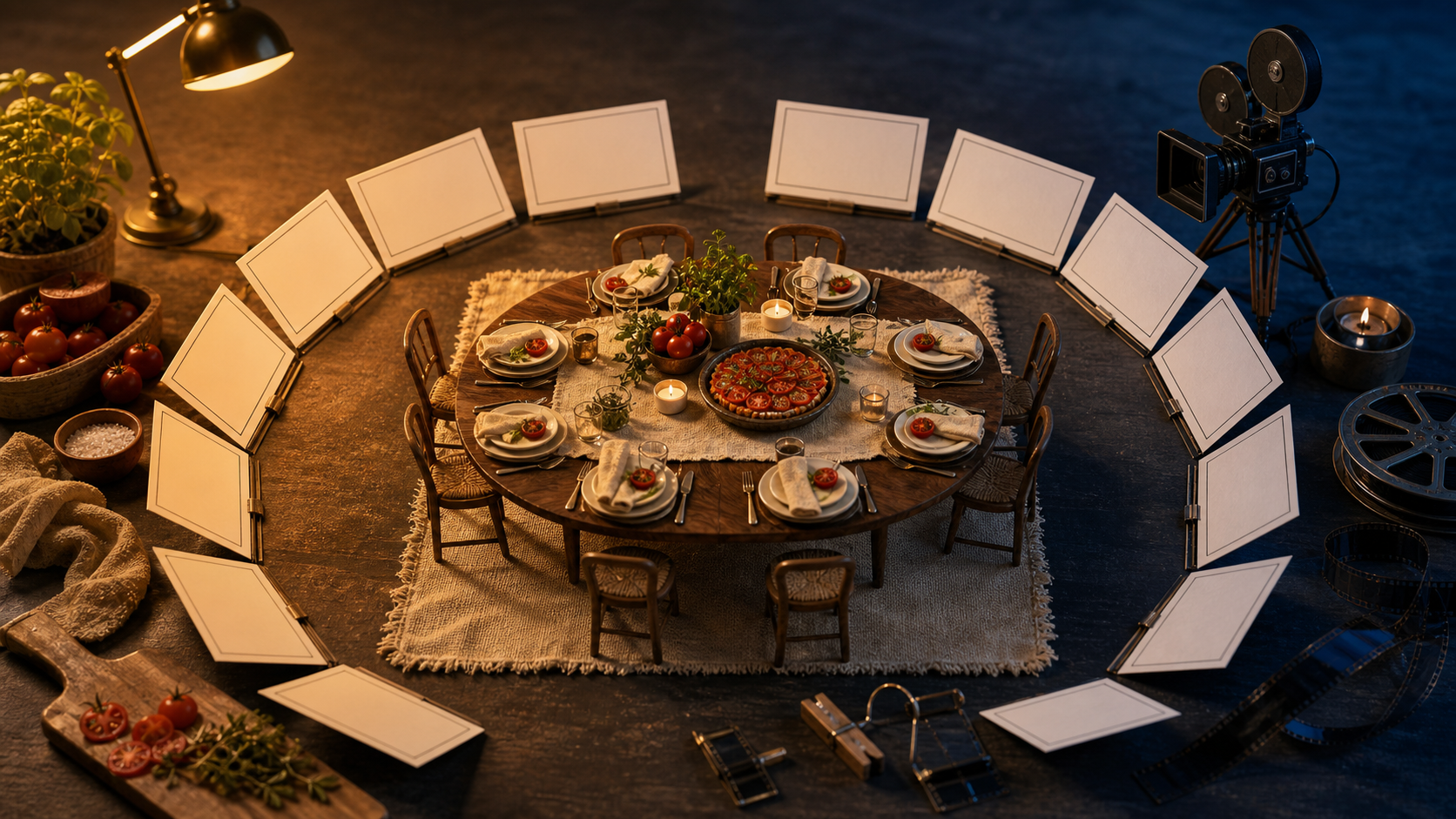
Dinner parties are having a search moment. Google recently highlighted rising interest in tablescapes, menus, drink pairings, playlists, and themed gatherings. For a creator, that is more than a hosting trend. It is a ready-made visual story with food, hands, movement, texture, and a natural beginning and end. The mistake is asking an AI video model for one broad scene such as "a beautiful dinner party." You may get a pretty clip, but it will be hard to edit into a story. A better method is to plan 12 small shots that share one visual identity. Each generation gets one job, so weak shots are easy to replace.
Choose the story before the style
Start with a one-sentence story spine. It should describe a change, not just a look.
An empty garden table becomes an intimate summer dinner as the host prepares it, guests arrive, and candlelight takes over. Pick one of three structures:
- Host-led: Follow one person from preparation to the first toast. Use this when personality is the main attraction.
- Object-led: Follow an invitation, a serving plate, or a bottle through the evening. Use this for a sponsored item or a strong visual motif.
- Mood-led: Move from quiet preparation to a lively table and a calm final image. Use this when atmosphere matters more than a named character. If you need viewers to remember a person, choose host-led. If one item must remain recognizable, choose object-led. If the video sells a feeling, choose mood-led. Do not mix all three at equal strength.
Write a continuity card
Before generating anything, write five facts that every shot must respect. This small card prevents the table, lighting, and cast from changing without reason.
Location: narrow garden terrace with pale stone walls
Table: oval walnut table for six
Palette: tomato red, cream linen, leafy green, warm amber
Food anchor: tomato tart on a dark ceramic platter
Time: late afternoon moving into candlelit blue hour
Avoid: visible text, extra guests, plastic surfaces, floating cutlery
Save the card above every prompt. Add only the details required for the current shot. In Quby, you can keep the card with your reference assets so the core scene stays easy to reuse.
Use this 12 shot ladder
Aim for a final video between 18 and 24 seconds. Most shots only need one clear action.
- Place: A wide, still view of the empty terrace and bare table. Hold for two seconds so viewers understand the space.
- Texture: A macro shot of wrinkled cream linen sliding across walnut. Keep the movement lateral and slow.
- Anchor dish: The tomato tart lands in the center of frame. Show hands, not a full person.
- Color: Red tomatoes and green herbs drop into a ceramic bowl. Use a close overhead angle.
- Rhythm: Three place settings appear through match cuts. Keep plate size and camera position fixed.
- Human cue: The host straightens one glass, then steps out of frame. This introduces a person without changing the focus.
- Arrival: A guest places flowers beside the table. Frame the action from waist level and avoid detailed faces.
- Connection: Two hands pass a serving plate across the table. Ask for one deliberate pass, not general dining motion.
- Energy: Glasses meet once at the center. Use a short, controlled camera push.
- Transition: Candle flames come alive as the sky shifts toward blue hour. Lock the table geometry.
- Afterglow: Crumbs, folded napkins, and half-full glasses suggest the meal has ended. Slow the camera again.
- Loop: Return to the original wide angle, now candlelit, with one chair gently moving. This creates a clean visual ending or loop. Generate the place shot first, then the anchor dish and candlelit wide. Those three images define the world. If they do not feel like the same location, stop and fix them before spending time on motion clips.
Build prompts in four layers
A useful video prompt states the shot, the subject, the motion, and the boundaries. Camera language should support the action, not compete with it. Use this template:
[Shot size and angle] of [specific subject] in [continuity card setting].
[One subject action]. [One camera action].
Natural material detail, consistent table geometry, late afternoon light.
Keep [invariant] unchanged. No text, logos, extra hands, morphing objects, or new props.
For the establishing shot:
Wide eye-level view of an empty narrow garden terrace with pale stone walls and an oval walnut table for six. Cream linen rests loosely across the table, with tomato red and leafy green accents. The scene is still while leaves move slightly in a light breeze. Locked camera, natural late afternoon light, tactile wood and linen. No people, text, logos, floating objects, or extra furniture.
For the serving action:
Close waist-level view across the oval walnut dinner table. Two adult hands pass one dark ceramic platter with a tomato tart from left to right. One clean handoff, then both hands leave frame. Subtle camera push, warm candlelight, consistent plates and cream linen. Keep the tart, platter, and table position unchanged. No extra fingers, duplicated dishes, faces, text, or sudden camera movement.
For the time transition:
Wide locked view of the same six-seat garden table after dinner. The sky gradually changes from late afternoon to blue hour while six small candle flames brighten. Plates, glasses, chairs, and table geometry remain fixed. Only the light changes and leaves move gently. No new guests, disappearing objects, text, logos, or camera rotation.
Treat references by job
One reference image should answer one question. Use a location reference for architecture and layout, a table reference for materials and palette, and a dish reference for the food anchor. Do not expect a crowded collage to communicate every rule equally.
Name the references by function, such as location, table-style, and hero-dish. In each prompt, say which details matter. For example: "Use the location reference for wall color and terrace proportions. Use the table reference only for linen and ceramics." This reduces accidental borrowing from the wrong image.
When faces are not essential, crop at the shoulders or focus on hands. That lowers the continuity burden and keeps attention on the ritual of setting, serving, and sharing.
Generate in passes, not all at once
First, create the three anchor stills. Second, generate shots 2 through 6, which establish the materials and host. Third, add the guest actions. Last, create the lighting transition and final loop. Quby can help you keep these clips and references together while you compare versions in the video workflow. For each shot, make no more than three attempts before changing the prompt. Repeating the same request rarely solves a structural problem. If attempt two still changes the table shape, shorten the prompt and state the table geometry in the first sentence. If hands fail, reduce the action to one hand or hide the transfer behind the platter. Use a simple keep-or-regenerate test:
- Continuity: Does the location, table, palette, and anchor dish match the neighboring shots?
- Readability: Can you describe the action correctly after watching once with no sound?
- Editability: Is there a clean half-second before and after the action?
- Physics: Do hands, liquids, flames, and utensils behave believably?
- Restraint: Is there one main motion rather than several competing motions? Keep a shot only if it passes at least four checks and continuity is one of them. A spectacular clip that breaks the location is usually more expensive in the edit than a quieter, consistent one.
Cut for contrast and sound
Alternate scale to keep the sequence readable: wide, macro, close, overhead, close, medium. Avoid placing four close-ups in a row. Let the opening and ending breathe for about two seconds, while preparation shots can run for 0.8 to 1.4 seconds. The toast may need only half a second if the contact point is clear. Build sound around physical events: linen brushing wood, a plate landing, herbs falling, a chair moving, glasses touching, and a match striking. Add room tone under the full edit so separate clips feel like one evening. Music should support the pace, but the small sounds make the generated scene feel tangible. Before export, watch once in grayscale to check composition, once muted to check visual logic, and once with your eyes away from the screen to judge the sound. If you want to assemble the sequence without rebuilding your setup for every variation, try the shot ladder in Quby Video Studio and replace only the clips that fail the continuity test. The result is not just a dinner party montage. It is a repeatable production pattern: one story spine, five continuity facts, three anchor images, 12 controlled shots, and a clear rule for deciding what survives the edit.
Ready to Create with AI?
Put these techniques into practice with Quby's professional AI creative tools.
Launch Creative Suite